Teach what you do best.Keep it connected.

Keep your signature courses running smoothly. Connect billing, learning materials, grading, attendance, absences, and waitlists around one student record.

  • Best For

    English for K–12 students

    Math for K–12 students

  • Students

    50–300 students

  • Tutors

    1–20 tutors

  • Location

    Hong Kong

Simpler Billing

  • Calculate fees from enrollment and fee rules, with scheduled billing and due dates
  • Send payment messages by email or WhatsApp so parents can open the invoice
  • Review paid and outstanding invoices alongside payment records

LessonBell automatic billing settings and sample tuition invoices

Materials and Feedback, Together

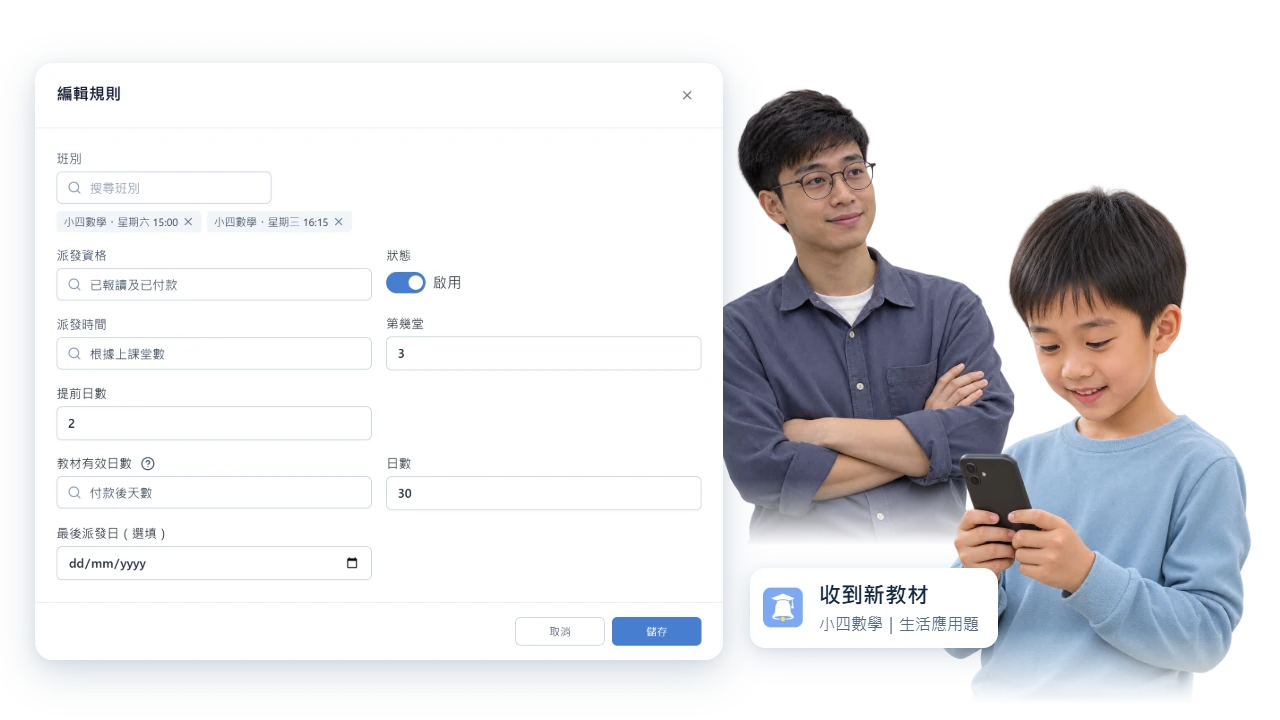
  • Schedule materials by class and lesson number for students to access in the app
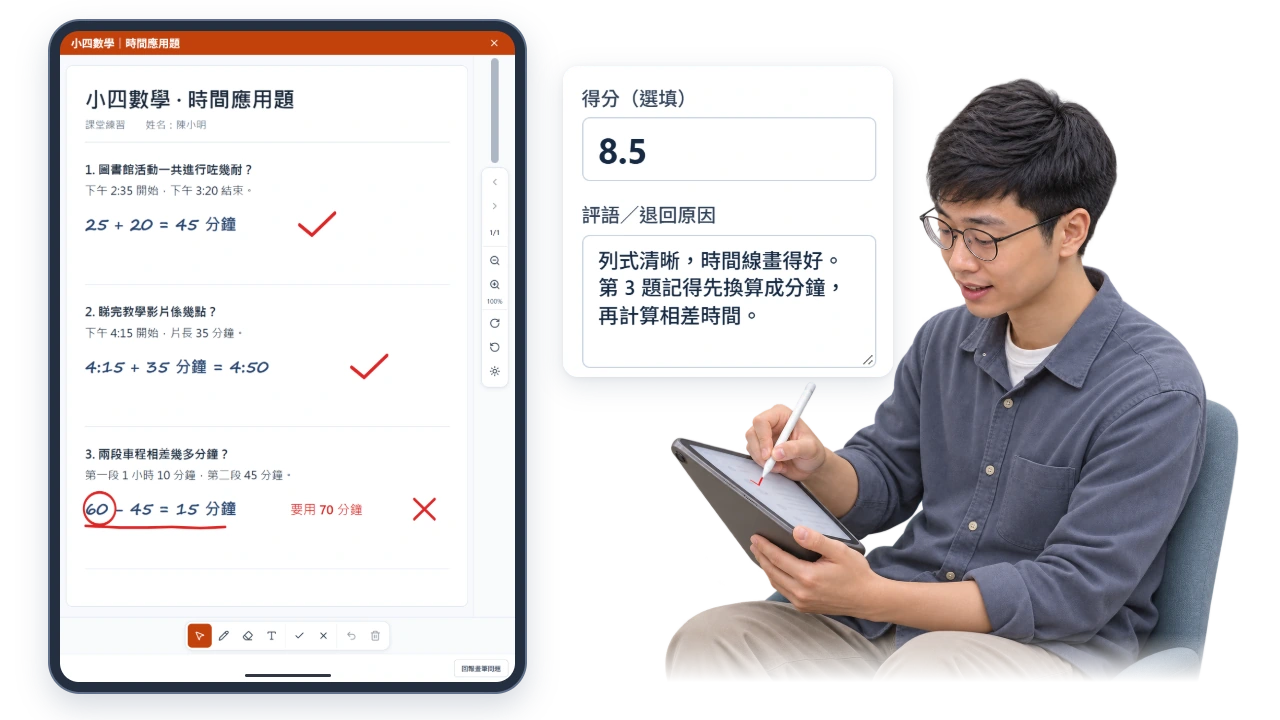
  • Annotate submitted images or PDFs with feedback and scores
  • Return marked work and review submission and grading status
LessonBell automatic materials release settings and a student receiving materialsA tutor grading student work and adding feedback on an iPad

Attendance Everyone Can Follow

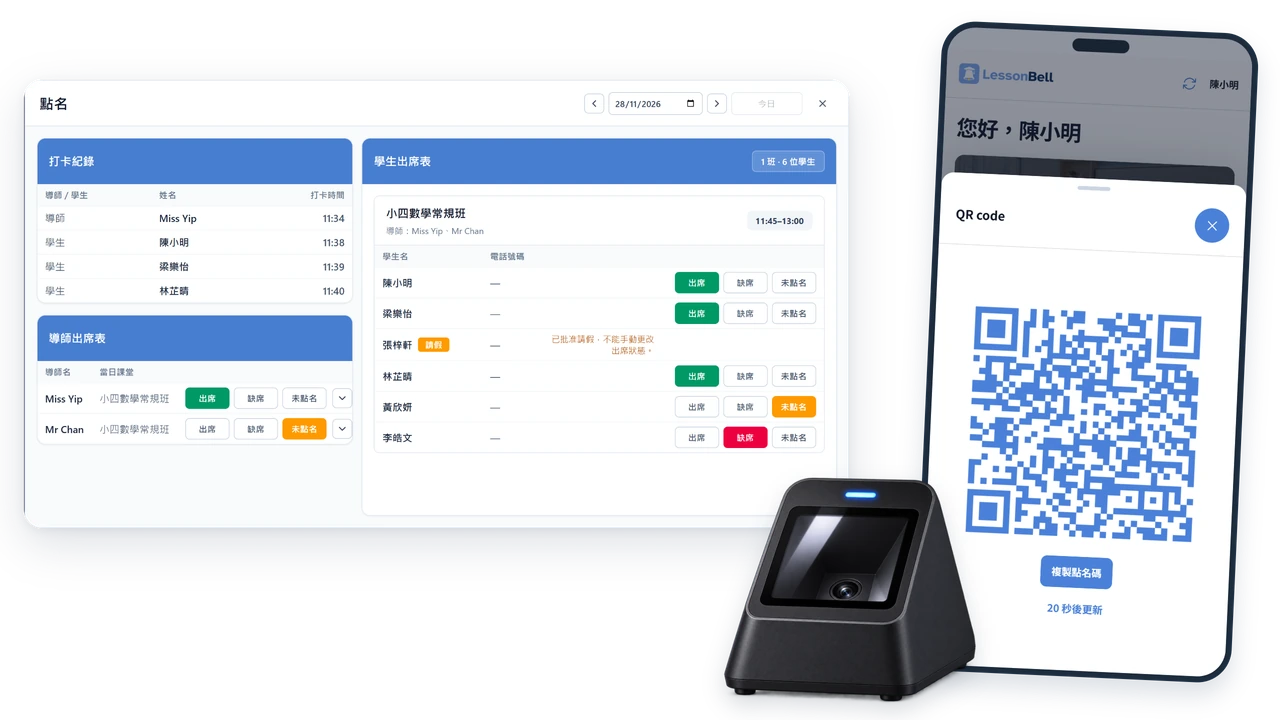
  • Record arrivals when students check in with a QR code
  • Let tutors take attendance from the class roster
  • Look up attendance by student or lesson when handing over or answering inquiries
LessonBell attendance screen, Student App check-in QR code and desktop scanner

Absences, Handled Your Way

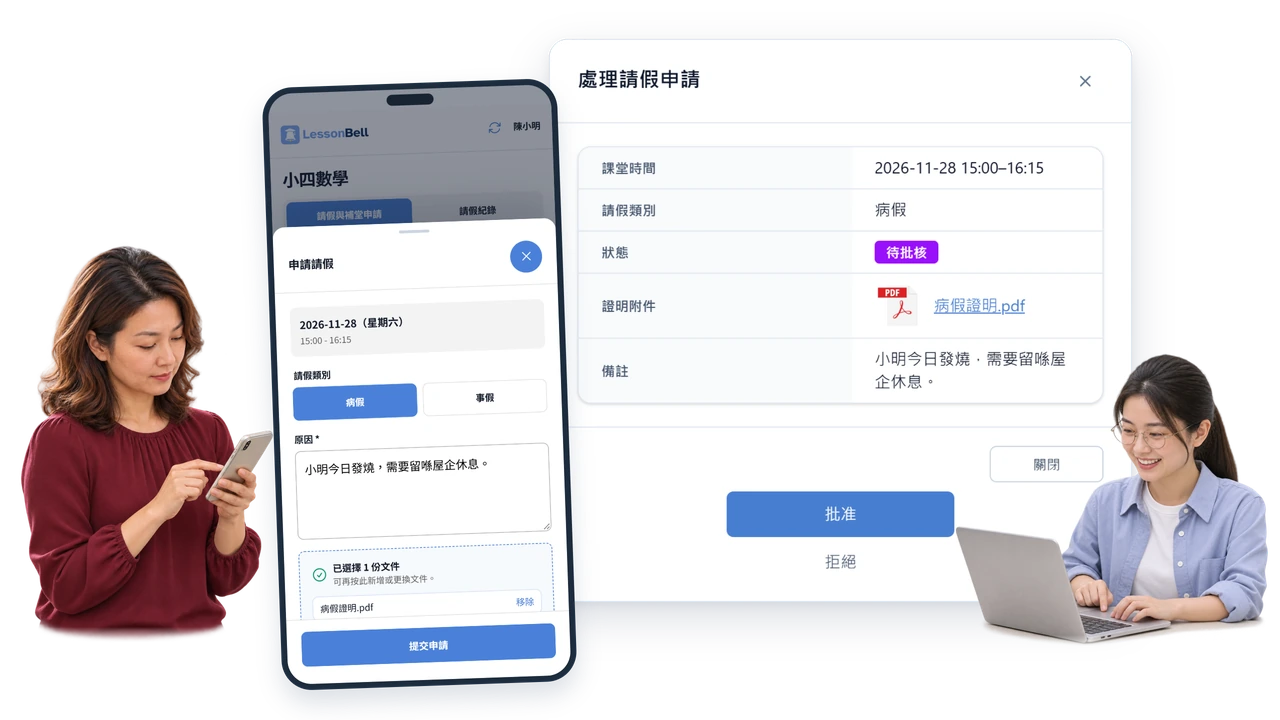
  • Choose the original lesson in the student app and provide the required reason or evidence
  • Set request deadlines, allowances and approval rules by course
  • When self-service makeup is enabled, families can use available credits to select eligible lessons
A parent submits a leave request in the student app while staff review it in the CMS

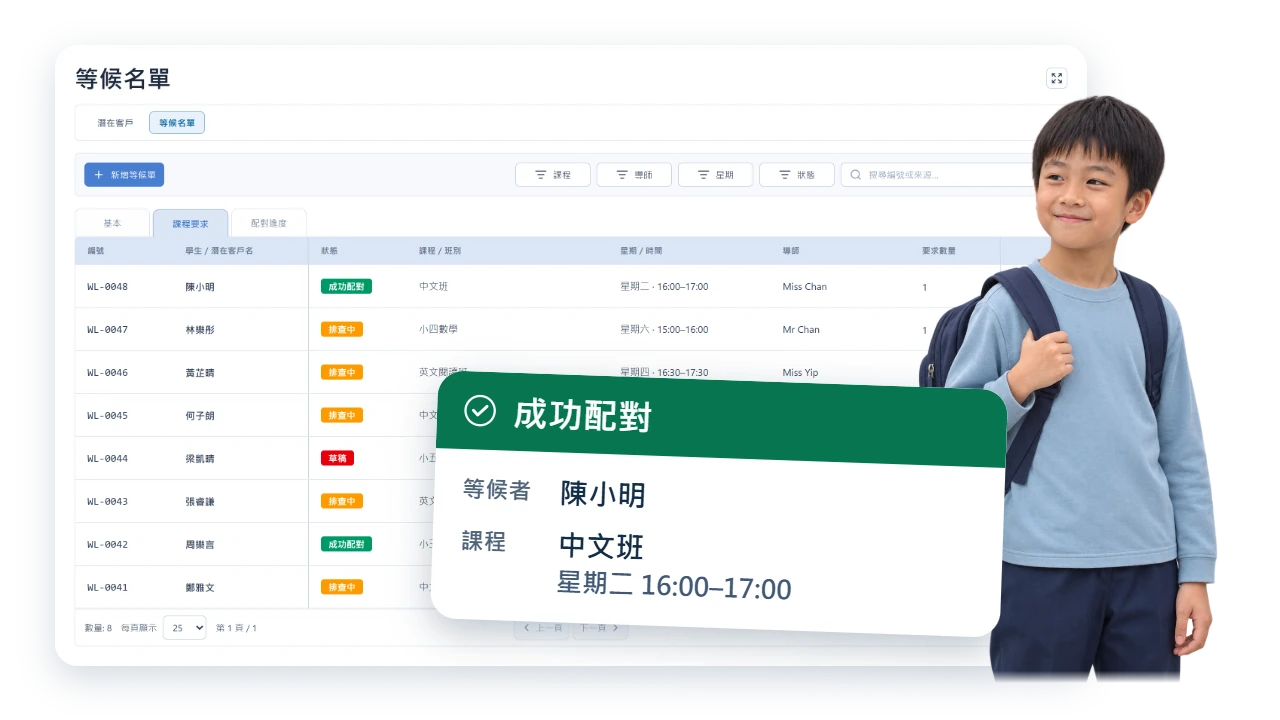
A Waitlist That Works

  • Record the preferred course, class and available times
  • Review the waiting list when a place opens or a new class starts
  • Contact interested families to confirm enrollment without relying on memory
LessonBell waiting list and a sample student class match

Your Website

A website that turns interest into enrollment.

  • Showcase courses, tutors, branches and center highlights
  • Make course information easy to browse on mobile
  • Collect inquiries, trial bookings and enrollments online
  • Manage site content and search engine information

Keep families informed

Share important updates through WhatsApp, app notifications and email.

  • Send WhatsApp reminders for first lessons, schedule changes, and cancellations
  • Use app notifications for makeup credits and center updates
  • Email tuition invoices and payment notices
  • Choose how updates go out and check the message history

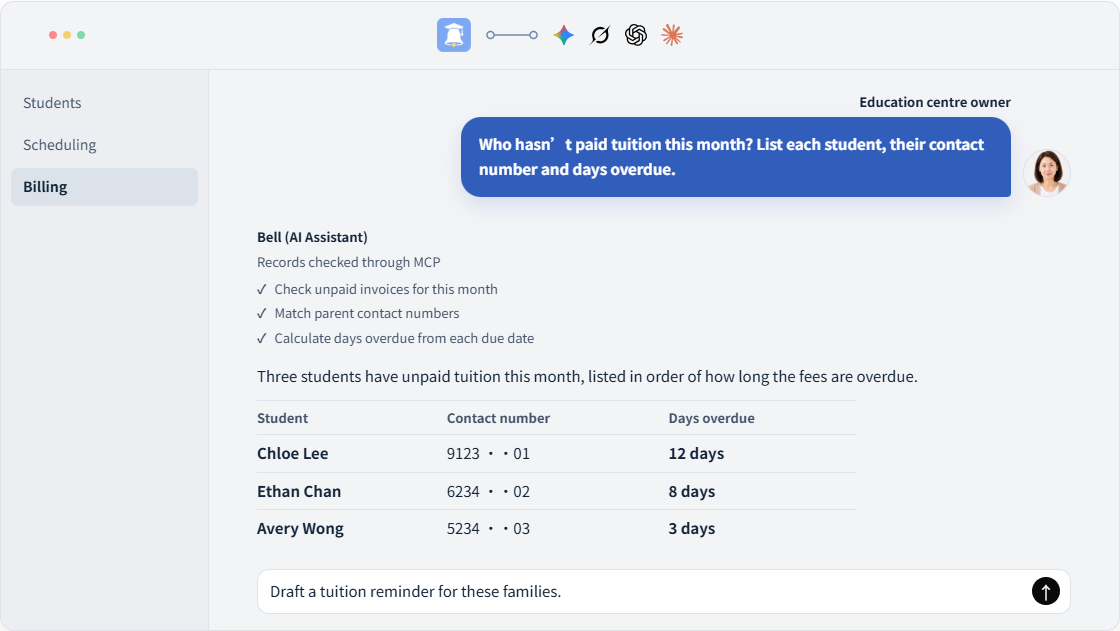
AI Agent

Ask. Schedule. Invoice. Let AI help.

  • Ask about students, lessons and fees in natural language
  • Get help scheduling lessons and creating invoices
  • Access center records within account permissions
  • Review actions before they run, based on your settings
Bell AI demo listing unpaid tuition this month, with student names, masked contact numbers and days overdue

FAQs

Can invoices be issued and sent automatically?

Set billing dates and payment deadlines using enrollment and fee rules, then send payment messages by email or WhatsApp according to your notification settings.

Can materials distribution and grading work together?

Choose the classes and release timing for materials. Students can access them and submit work in the app, and tutors can annotate submitted images or PDFs, add feedback and scores, then return the work.

Can the front desk and tutors look up who attended?

Yes. After QR check-in or tutor attendance grading, staff can review records by student or lesson when handing over or answering family inquiries.

Can parents choose a makeup lesson after requesting leave?

When self-service makeup is enabled and the student has available credits, parents can choose eligible lessons with available places under your course rules. Approval follows your center’s settings.

What if a class is full or the times do not work for a family?

Keep the preferred course, class and times on the waiting list. Your front desk can review it when a suitable place opens, then contact the family to confirm enrollment.


Ready for a simpler workday?You’re three steps away.

  1. Meet LessonBell

    Done
  2. Let’s talkSee it in action

    Get started
  3. Bring your dataTry it for a month

  4. You’re all set

  1. Submit the form
  2. 5-minute phone call
  3. On-site or online demo

Book a Demo

Can we call you now?