Fewer messages.Easier makeups.

Let families report absences and book makeups in the app. You set the rules, handle changes, and keep a clear attendance history.

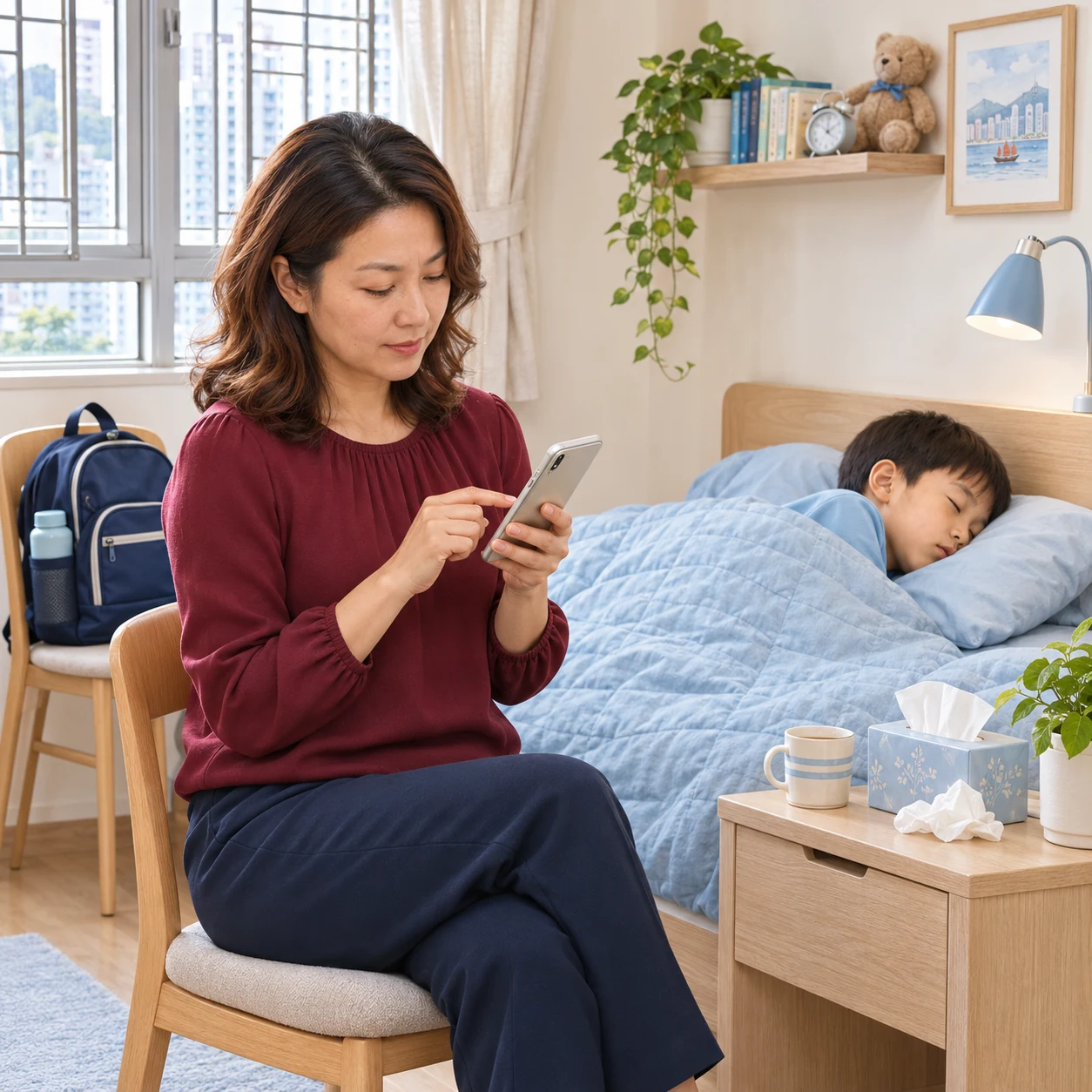
A mother uses her phone to request leave while her child rests in bed
  • Challenge 01

    Absences Buried in Chats?

  • Challenge 02

    Makeups Taking Too Many Messages?

  • Challenge 03

    Attendance Records Hard to Find?

Report an Absence in the App

  • Select the original lesson in the Student App
  • Enter the reason and upload proof if required
  • Check requests and approval status in one place
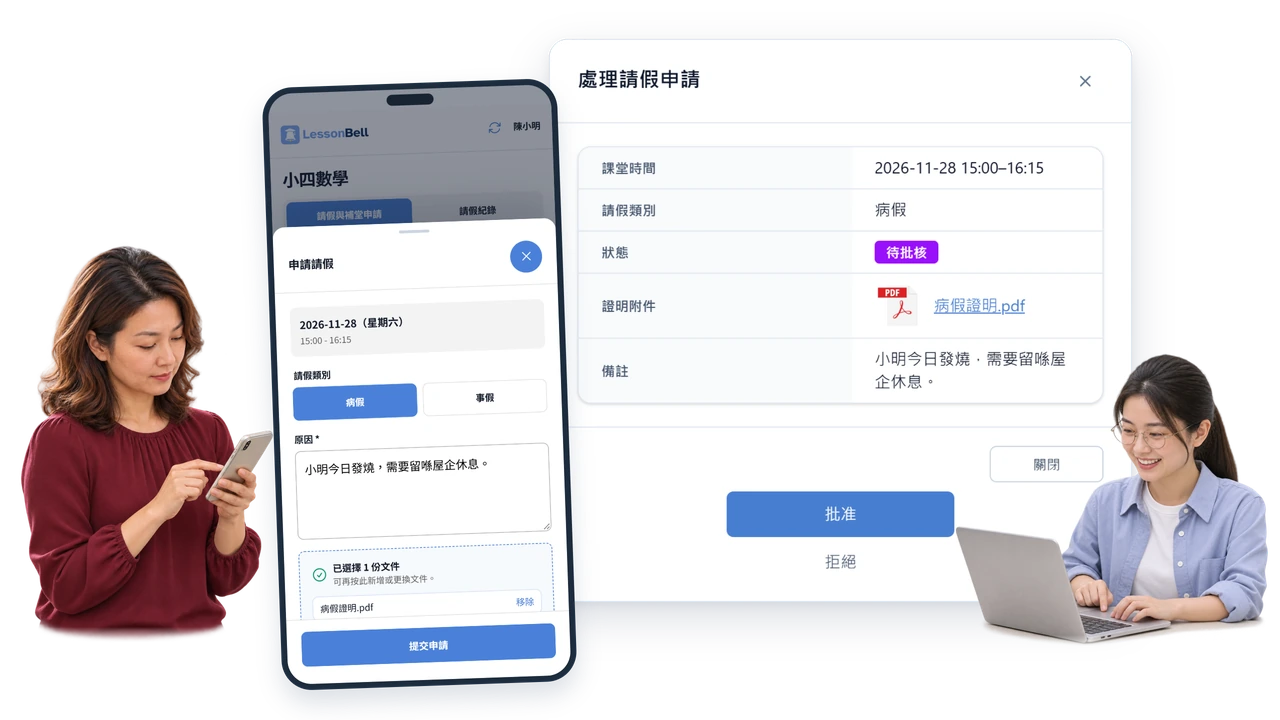
On the left, a parent requests sick leave on her phone beside the Student App form and attachment. On the right, a staff member reviews the same request on a laptop beside the CMS pending status and approval button.

Your Rules, Built In

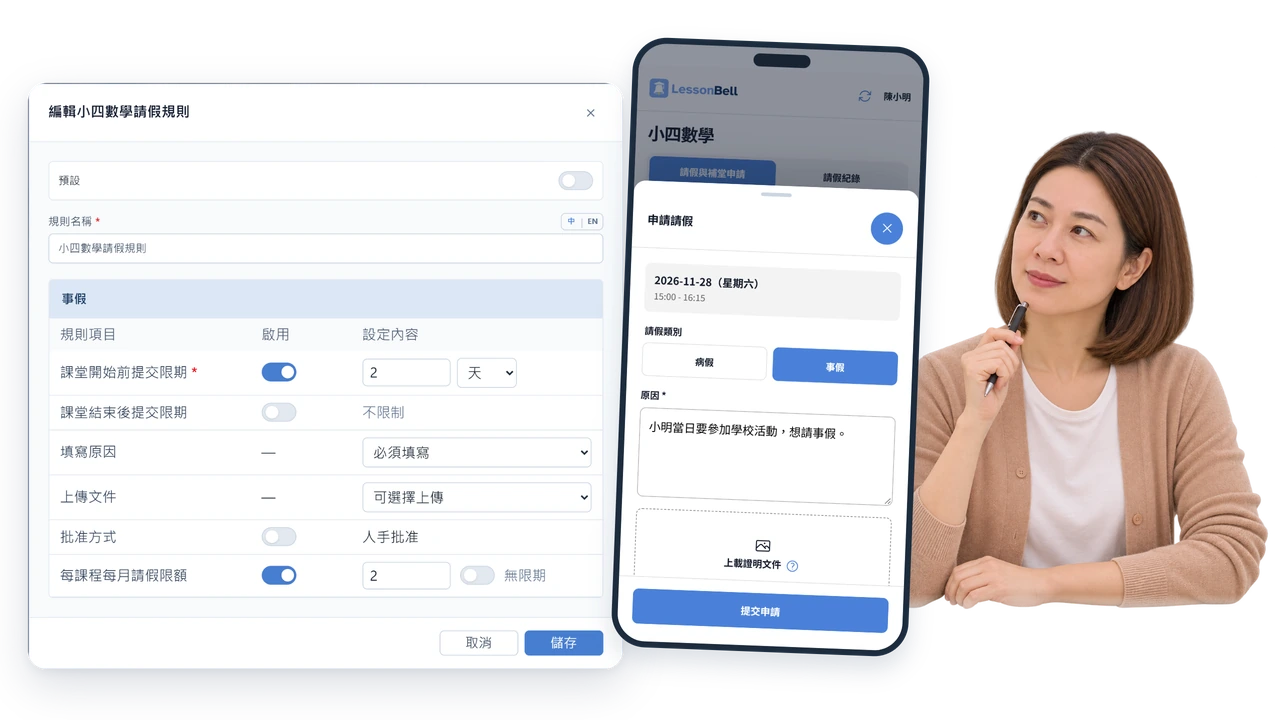
  • Set separate rules for sick and personal leave
  • Set application deadlines and monthly allowances
  • Choose reason, evidence and approval requirements
The CMS editor shows deadlines, reason requirements, approval and monthly limits for personal leave. Beside it are the Student App personal leave form and the center owner considering the rules.

Make Room for Makeups

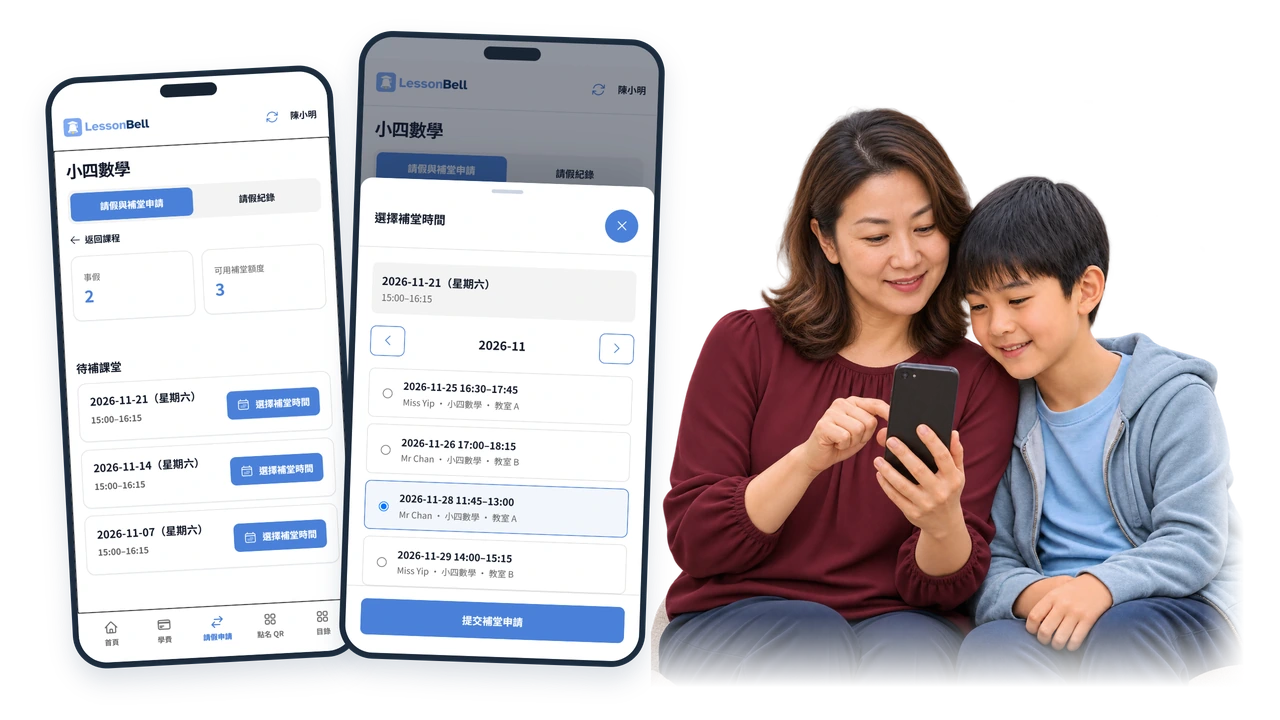
  • Let parents book when self-service is enabled
  • See eligible lessons and available places
  • Let staff book an existing or one-off lesson
The Student App shows three lessons awaiting makeup on the left and the Saturday 11:45–13:00 Grade 4 math slot selected in the middle. A parent and child look at a phone together on the right.

Handle Last-Minute Changes

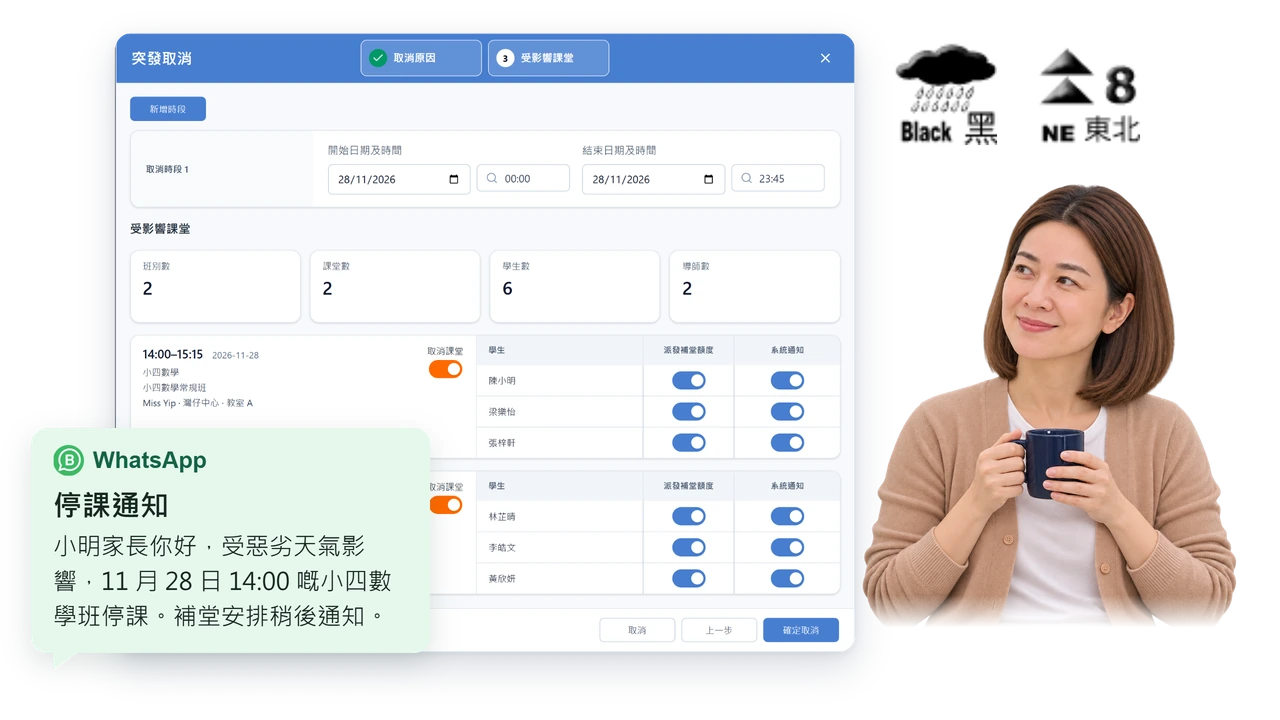
  • Reschedule one student or the whole class
  • Review selected lessons before canceling
  • Choose whether to issue credits and notify families
A sample WhatsApp cancellation notice sits beside the Workbench dialog for two affected lessons. The center owner holds a mug below the Hong Kong Observatory’s Black Rainstorm and No. 8 Northeast Gale or Storm signal icons.

Check In. Keep Track.

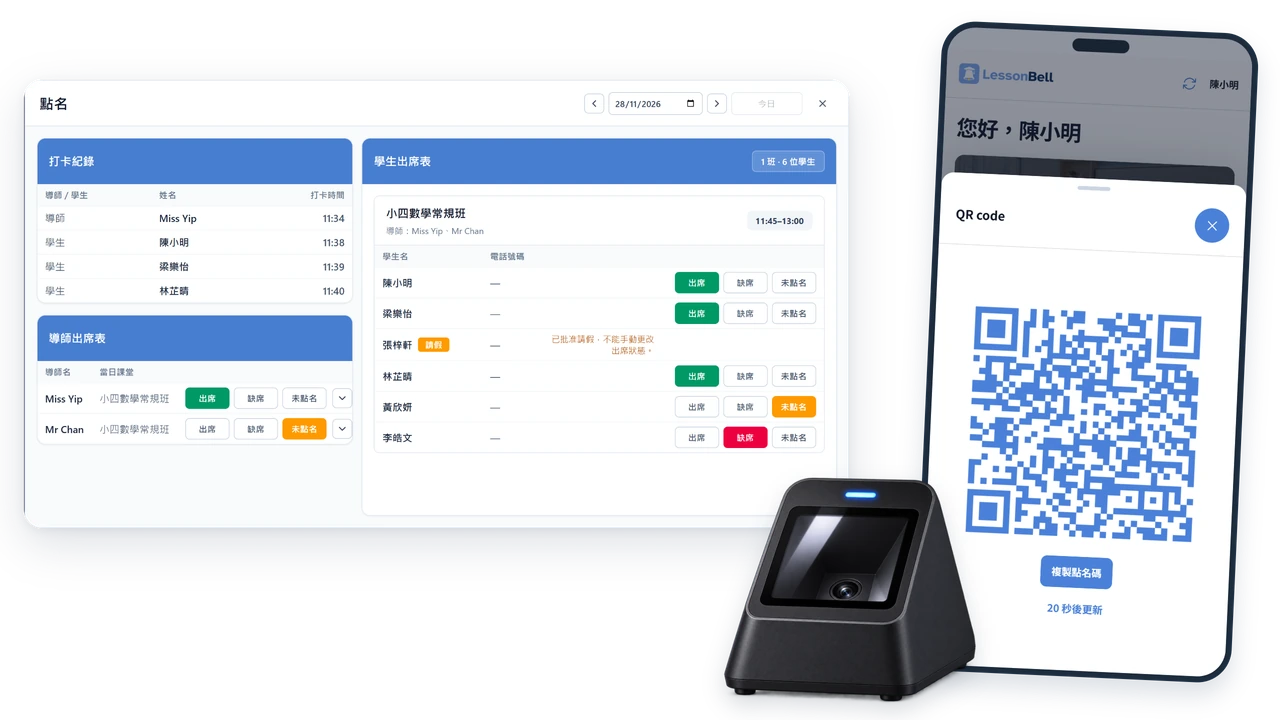
  • Let students check in by scanning a QR code
  • Let tutors mark attendance from the class roster
  • Look up attendance by student or lesson
The CMS attendance screen shows clock-in records, tutor attendance and the Grade 4 math student roster. A demo QR code opened from the Student App home screen sits beside a desktop scanner.

Put AI to work.Get your time back.

LessonBell MCP
  • Gemini
  • Grok
  • ChatGPT
  • Claude

Center Owner

Approve Ethan Lam’s personal-leave request for tomorrow’s Grade 4 Math lesson under the existing rules.

Bell (AI Assistant)

Demo completed via MCP

  • Check the original lesson and pending request
  • Apply the existing leave rules
  • Approve the request and save the decision

Ethan’s absence request meets the course rules and is now approved. The decision is saved, so your front desk and tutors can check the same record before class.

Student and lesson
Ethan Lam · tomorrow’s Grade 4 Math
Decision
Personal leave approved

Questions?
We’ve got answers.

Can sick leave and personal leave follow different rules?

Yes. Set separate deadlines, proof requirements, approval processes and monthly allowances.

Can parents choose their own makeup lesson?

If the course enables self-service and the student has an available credit, parents can choose an eligible time in the app. The center can require approval.

How do we notify families when a typhoon cancels several classes?

Staff can review selected lessons in the workbench’s emergency cancellation flow, choose whether to issue makeup credits, and send notices using the center’s configured channels.

Ready for a simpler workday?You’re three steps away.

  1. Meet LessonBell

    Done
  2. Let’s talkSee it in action

    Get started
  3. Bring your dataTry it for a month

  4. You’re all set

  1. Submit the form
  2. 5-minute phone call
  3. On-site or online demo

Book a Demo

Can we call you now?