Keep families connected.From day one.

Give your front desk the full student record. Keep parents up to date with app schedules, WhatsApp reminders, and a clear history of every enrollment.

A parent reads a message on their phone outside a classroom
  • Challenge 01

    Still Searching Paper Forms?

  • Challenge 02

    Answering the Same Questions?

  • Challenge 03

    Losing Valuable Feedback?

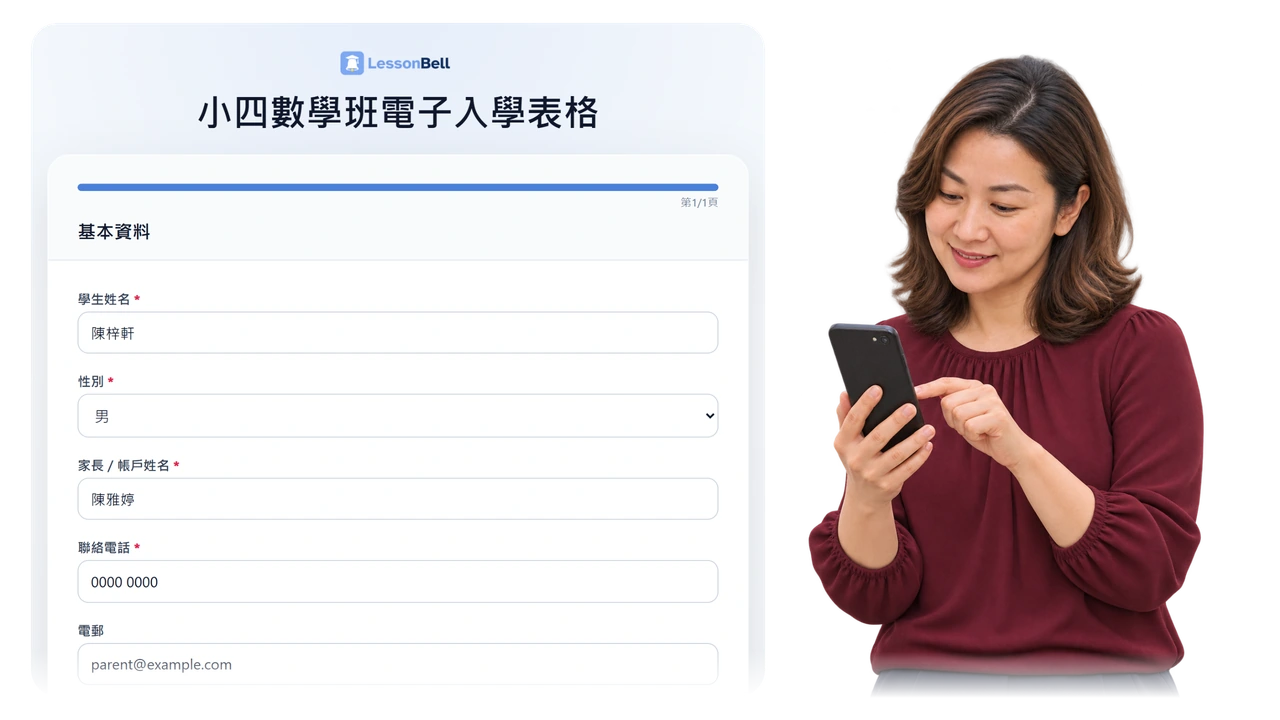
Skip the Paper Forms

  • Let parents enter student and contact details
  • Choose which fields your center needs
  • Check and import student information
A parent in a burgundy blouse fills in a form on her phone beside a LessonBell Grade 4 math registration form with sample student and parent details.

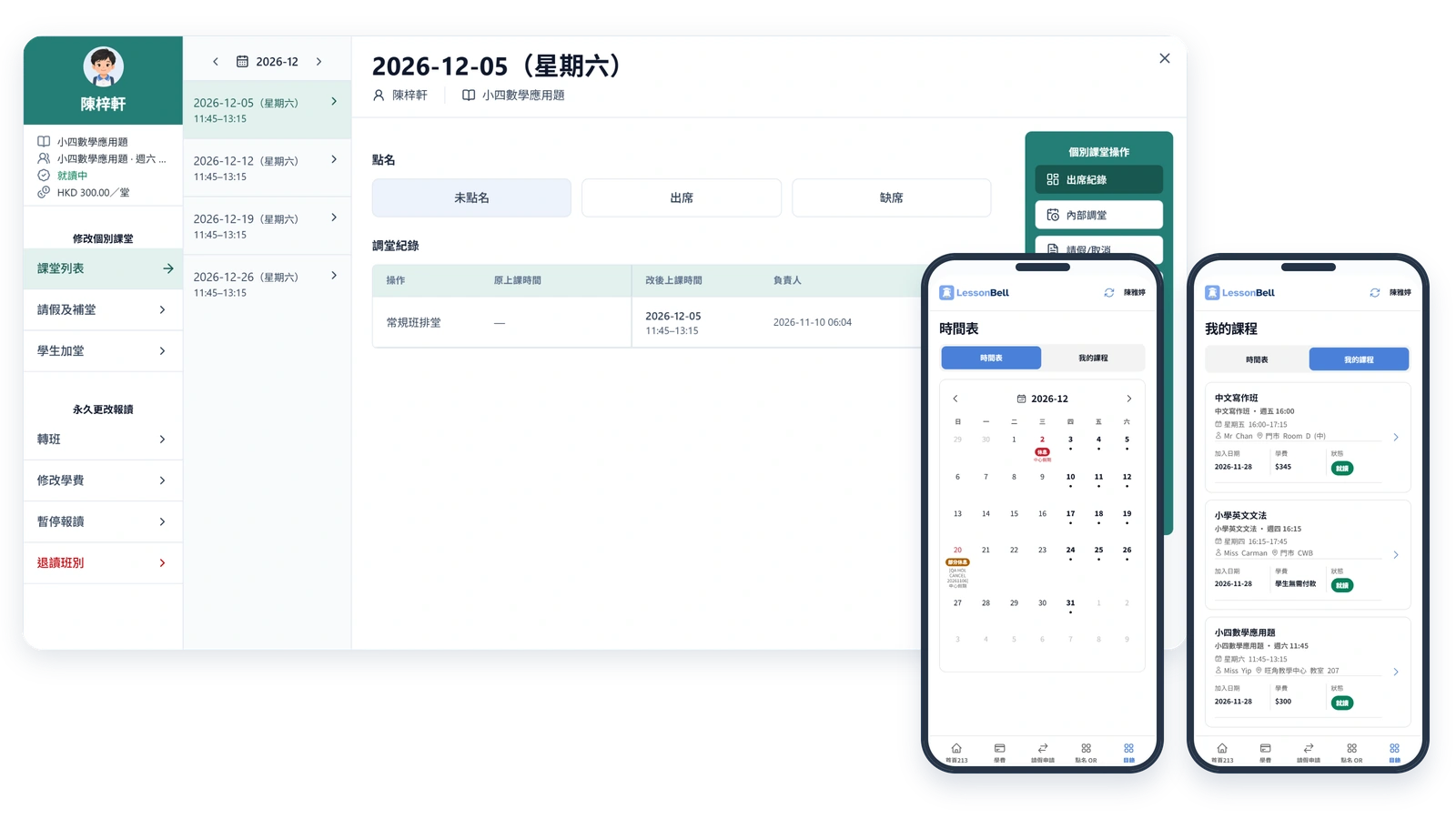
Enrollment, All in One Place

  • Check student details and selected classes
  • Confirm the start date and fee plan
  • Look up enrollments by student
The LessonBell enrollment record for sample student Chan Tsz Hin sits beside two iPhones showing his December schedule and three courses in the Student App: Grade 4 math, primary English grammar and Chinese writing.

Give Parents Their Own App

  • Use a parent account to view children’s details
  • Check the courses each child has enrolled in
  • Read center notices in the app

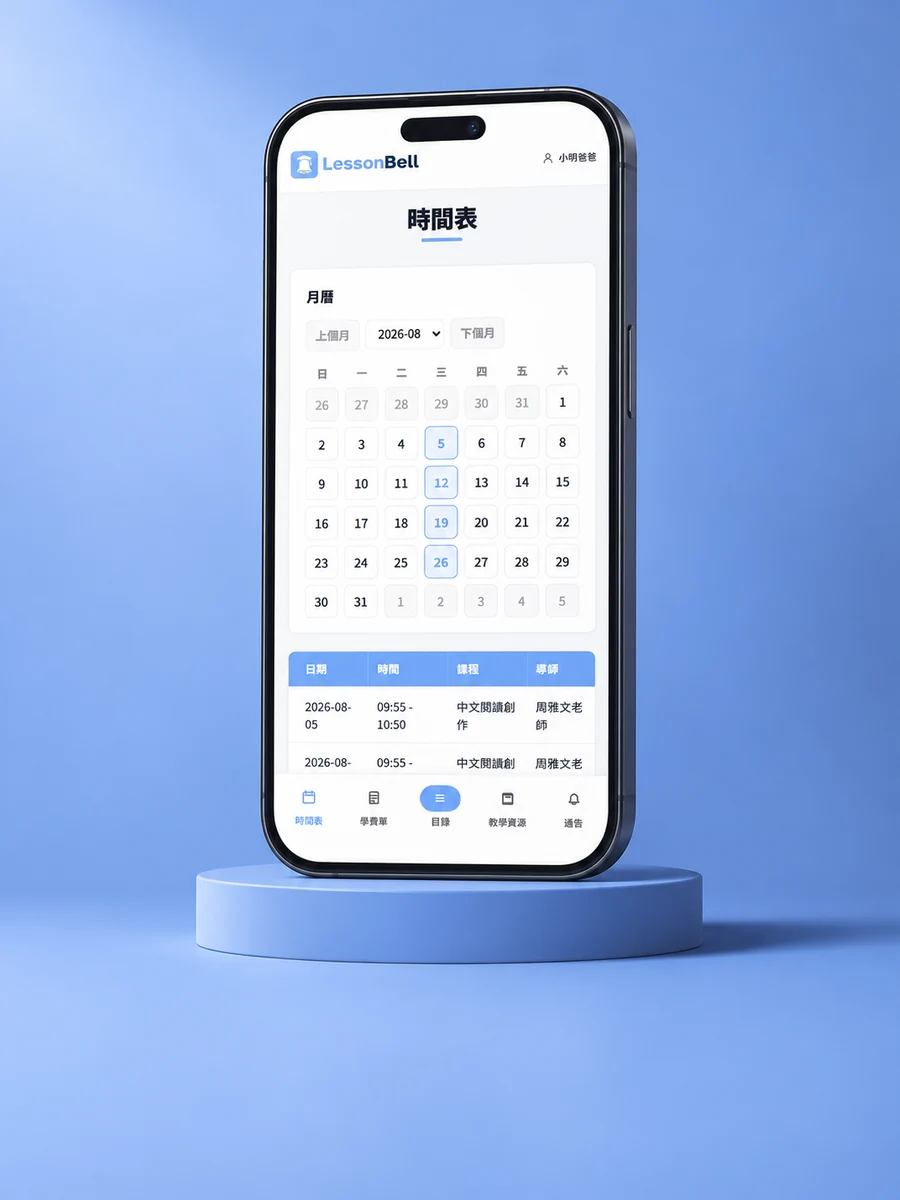
The Latest Schedule, in Their Pocket

  • Check upcoming lessons by date
  • See the time, venue and tutor together
  • Check the updated time after rescheduling

Keep Parents in the Loop

  • Set reminders for first and rescheduled lessons
  • Include the lesson time and location
  • Find past notifications in the delivery history
Four notification cards appear above three parents looking at their phones: two WhatsApp alerts for a first lesson and a cancellation, a Gmail rescheduling reminder, and a LessonBell push notification for unused makeup credit.

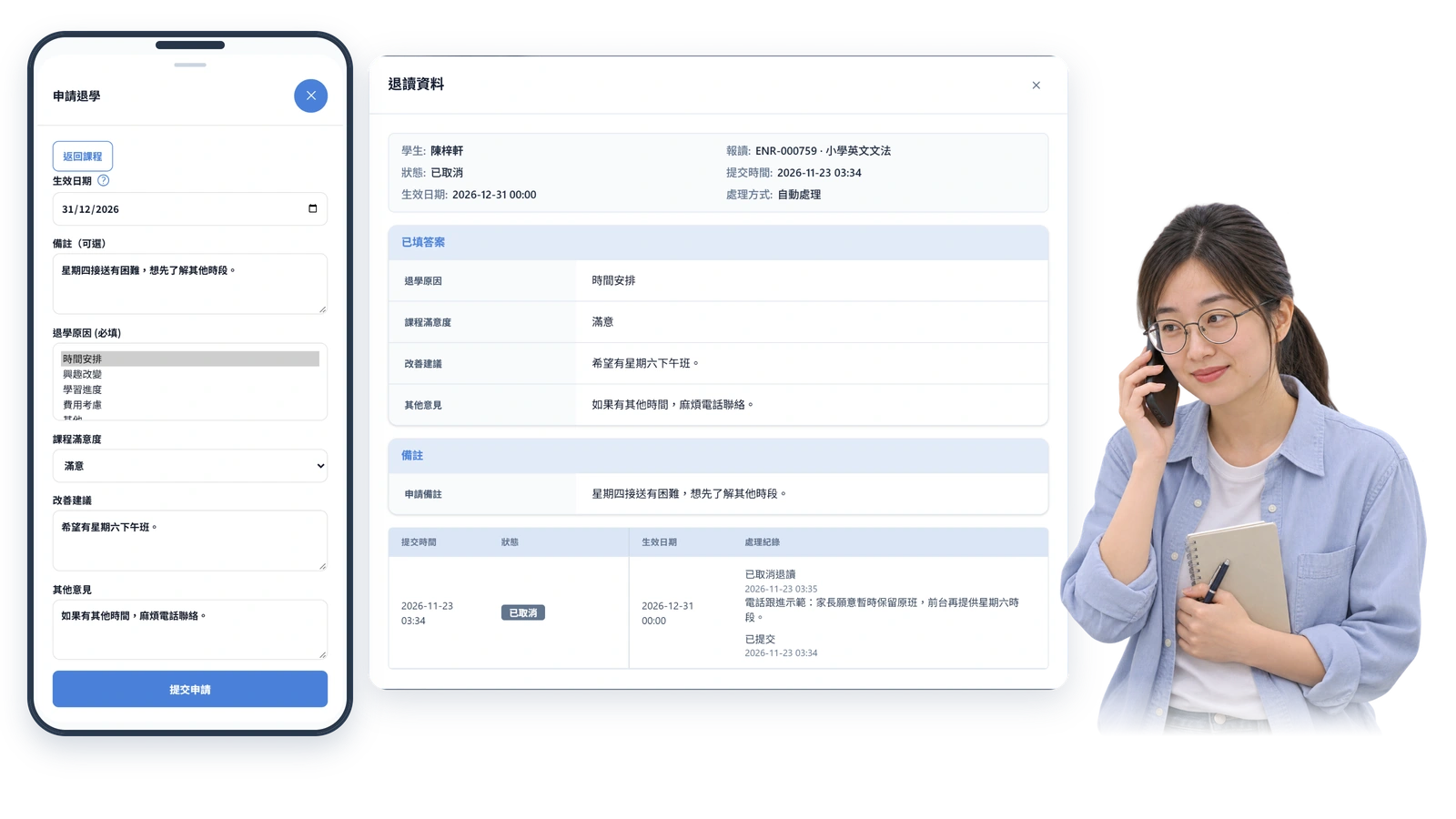
Handle Withdrawals Clearly

  • Let parents submit a withdrawal request
  • Collect reasons and suggestions in a survey
  • Check effective dates and approval records
A completed withdrawal questionnaire in the Student App sits beside the sample CMS withdrawal record, which shows the parent’s feedback and the follow-up that canceled the withdrawal. A receptionist calls the parent.

Put AI to work.Get your time back.

LessonBell MCP
  • Gemini
  • Grok
  • ChatGPT
  • Claude

Center Owner

Convert Chloe Chan’s submitted registration form into a student record, using her existing family account.

Bell (AI Assistant)

Demo completed via MCP

  • Check the form and existing family account
  • Prepare the submitted student details
  • Create the student record and link the submission

Chloe’s student record is ready, using her submitted details and existing family account. The original form stays linked, so your team can check it while completing enrollment.

Student record
Chloe Chan · created
Account
Existing family account reused

Questions?
We’ve got answers.

Does submitting a registration form confirm enrollment?

The form collects student and contact details. Your front desk reviews the submission, then confirms the class, start date and fee plan.

Does the front desk have to send each WhatsApp reminder manually?

Centers can use approved WhatsApp templates for first and rescheduled lessons, and choose to send reminders directly or after staff approval.

Can we collect parent feedback when a student withdraws?

Yes. Set up a withdrawal survey to save the parent’s feedback with the withdrawal request for later follow-up.

Ready for a simpler workday?You’re three steps away.

  1. Meet LessonBell

    Done
  2. Let’s talkSee it in action

    Get started
  3. Bring your dataTry it for a month

  4. You’re all set

  1. Submit the form
  2. 5-minute phone call
  3. On-site or online demo

Book a Demo

Can we call you now?