Keep your team in sync.From schedules to clock-ins.

Bring availability, class assignments, and clock-ins together. Tutors know when they’re working, and you can compare planned hours with actual attendance.

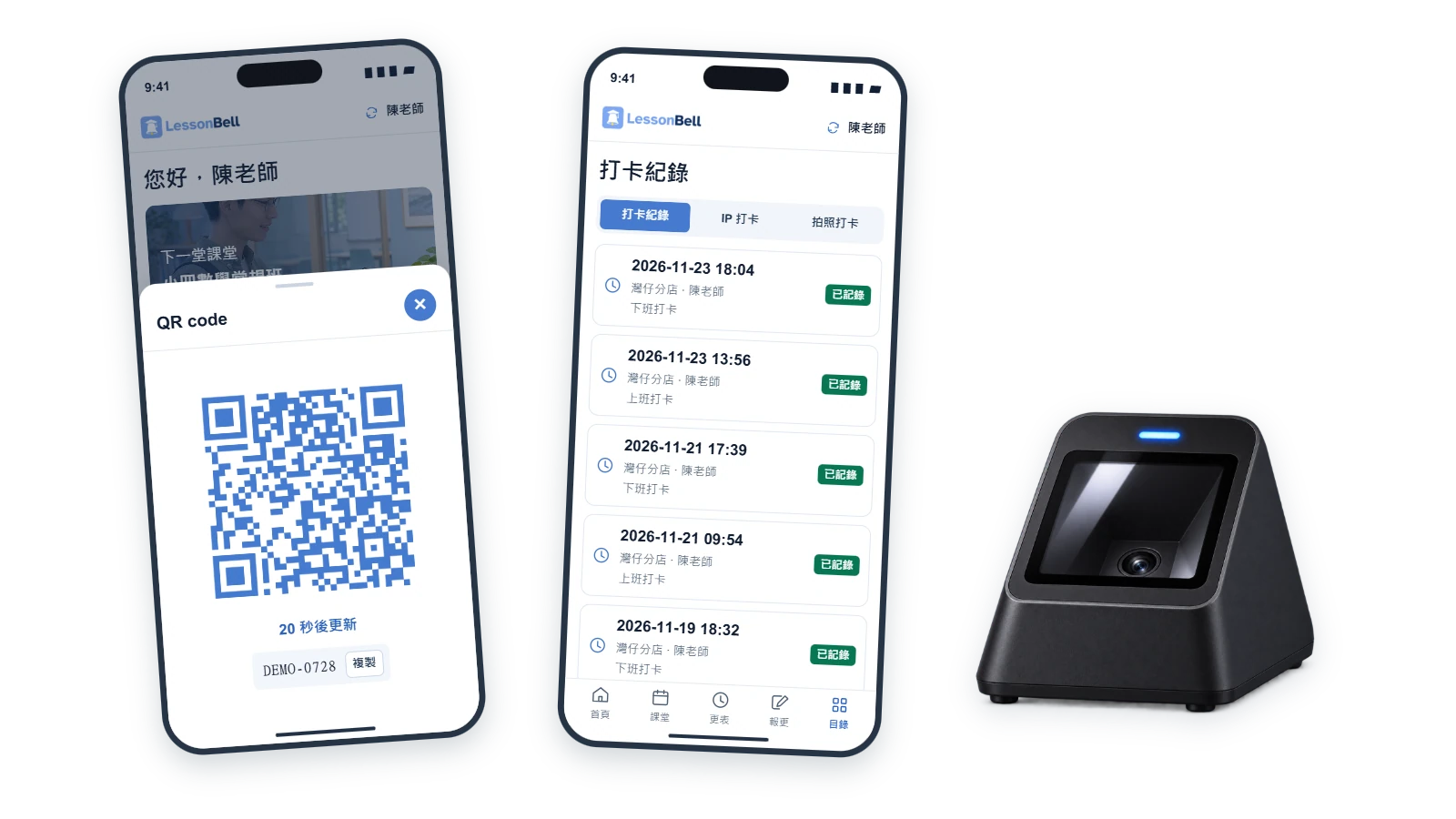
A tutor clocks in at the front desk by presenting a QR code on his phone to the scanner
  • Challenge 01

    Schedule Questions Never Stop?

  • Challenge 02

    Availability Lost in Chats?

  • Challenge 03

    Still Checking Paper Timesheets?

Clock In. Clock Out. All Recorded.

  • Record when staff arrive and leave
  • Find clock-ins by staff member and date
  • Compare attendance against scheduled shifts
Clear Schedules for Every Tutor

  • Set recurring weekly shifts by staff member
  • Review scheduled shifts in one place
  • Let tutors see their shifts in the app
The tutor app shows a schedule with other tutors and a personal roster, alongside the CMS fixed roster and two staff members discussing shifts

Let Tutors Share Their Availability

  • Tutors submit available times in the app
  • Review tutor submissions in one place
  • Tutors can look up past submissions
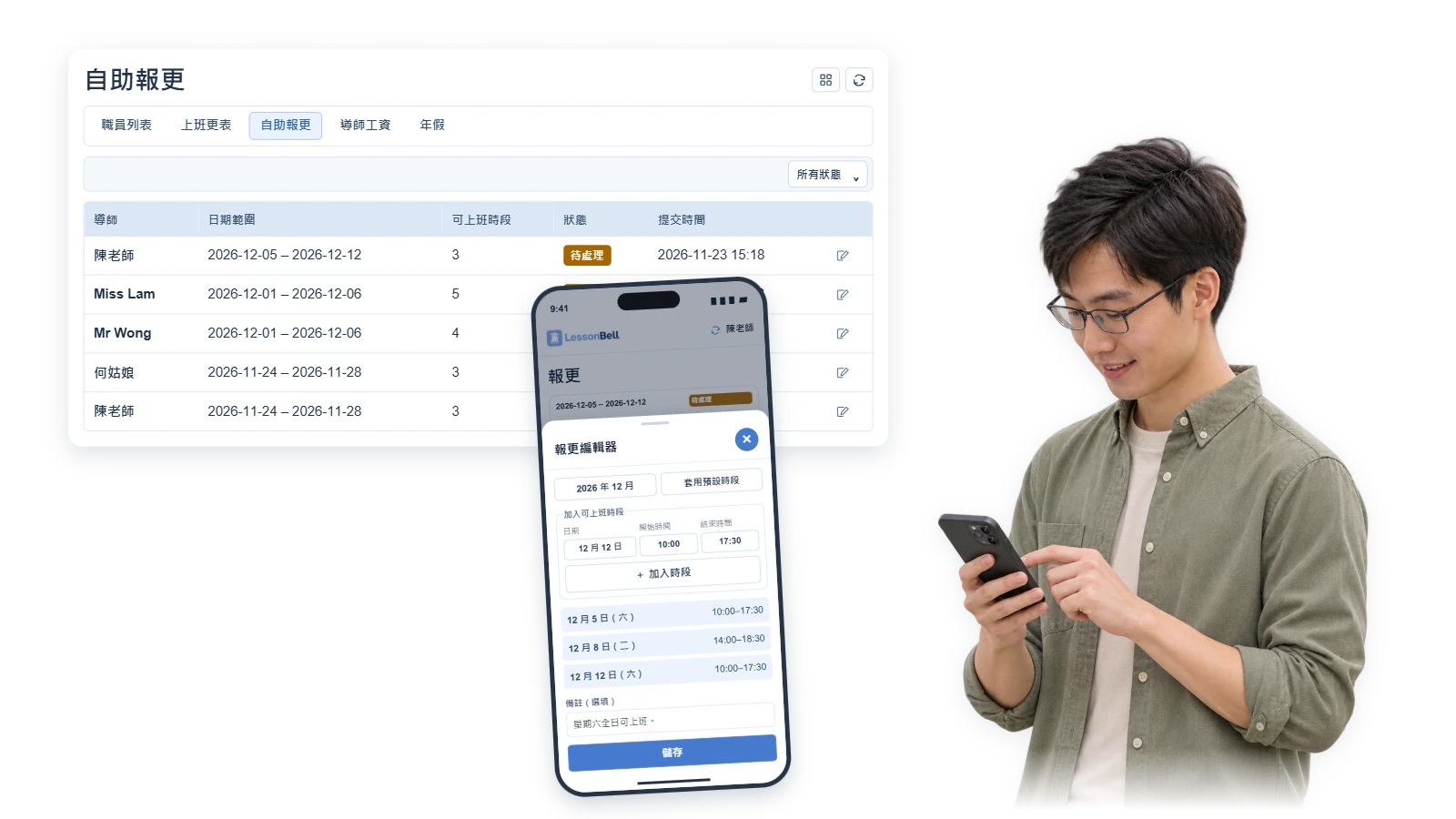
A tutor submits availability on his phone alongside the app’s availability editor and the CMS submission list

Schedule Around Your Team

  • Check scheduled working hours while assigning lessons
  • Check that lesson times fit the tutor’s shift
  • Tutors can see their assigned lessons in the app
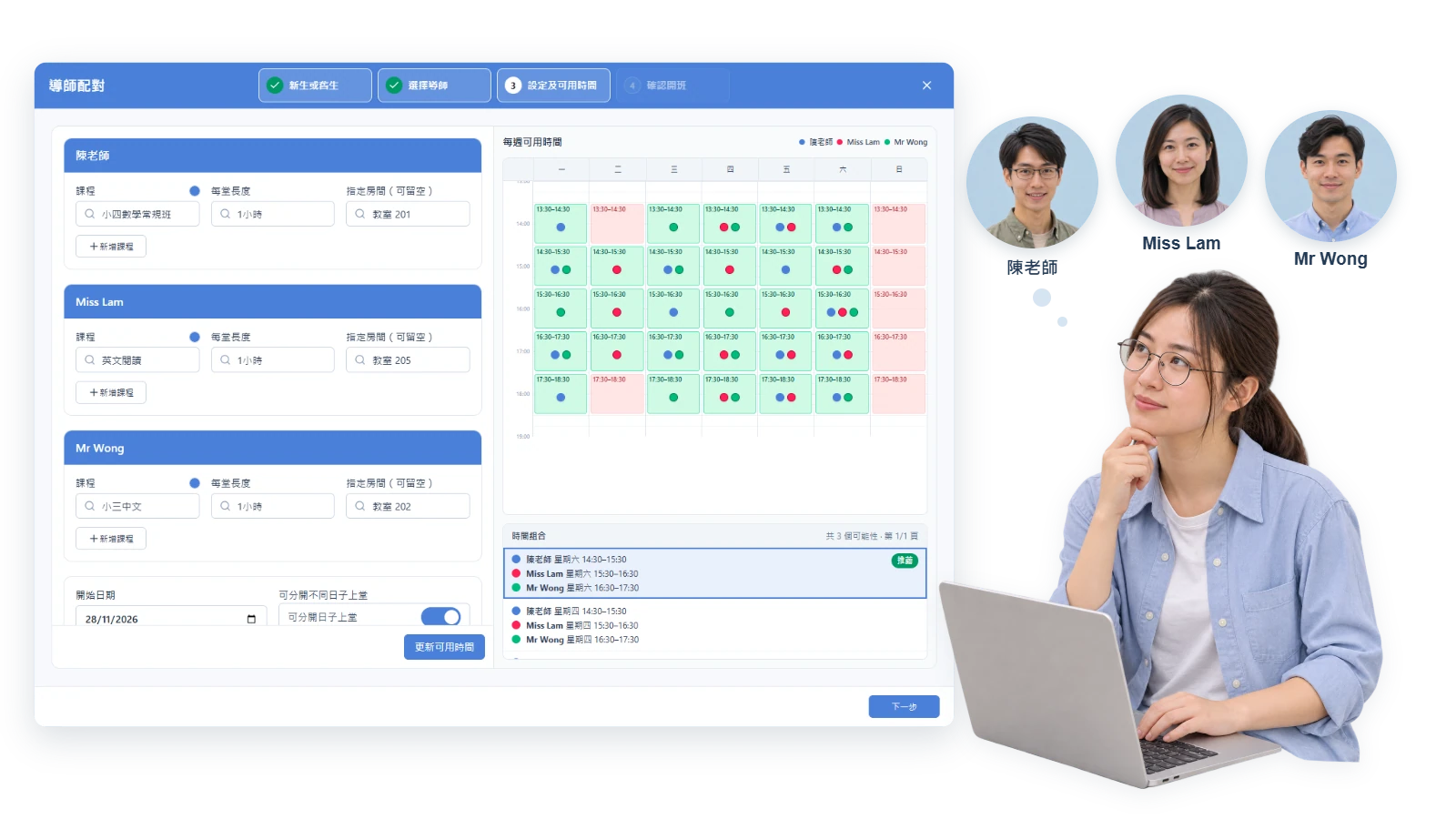
The CMS tutor matching schedule shows weekly availability for the three tutors a staff member is considering on her laptop

Put AI to work.Get your time back.

LessonBell MCP
  • Gemini
  • Grok
  • ChatGPT
  • Claude

Center Owner

Miss Chan submitted availability for Saturday 14:00–18:00. Assign that shift to her.

Bell (AI Assistant)

Demo completed via MCP

  • Check the submitted availability slot
  • Confirm the work date and times
  • Create the corresponding staff shift

I’ve assigned Miss Chan to Saturday, 14:00–18:00, using her submitted availability. It’s now a scheduled shift, so your team can include her when planning coverage.

Assigned shift
Miss Chan · Saturday 14:00–18:00
Source
Submitted tutor availability

Questions?
We’ve got answers.

Where can tutors see their shifts?

Tutors can check their scheduled shifts in the tutor app.

How do recurring shifts and availability differ?

The center sets recurring shifts for regular working hours. Tutors submit their availability for the center to refer to when planning shifts.

How do I check if a tutor is on shift for a lesson?

Check the tutor’s roster while scheduling the lesson and confirm that the lesson falls within their working hours.

Ready for a simpler workday?You’re three steps away.

  1. Meet LessonBell

    Done
  2. Let’s talkSee it in action

    Get started
  3. Bring your dataTry it for a month

  4. You’re all set

  1. Submit the form
  2. 5-minute phone call
  3. On-site or online demo

Book a Demo

Can we call you now?