Set up your classes.Start on solid ground.

Set up courses, pricing, schedules, and rooms before enrollment opens. Your front desk gets a clear plan to work from, right from the start.

A center owner and receptionist discussing class schedules
Sat 11:45–13:15Scheduled
P4 Math (Regular)Miss Yip · 3 students
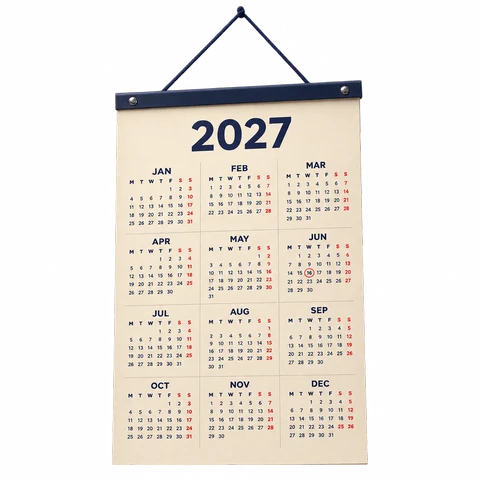
Sat, 6 FebCenter closed
Lunar New Year
  • Challenge 01

    Parents waiting for an answer?

  • Challenge 02

    Counting lessons by hand?

  • Challenge 03

    Discounts slipping through?

One Schedule for Everyone

  • Switch between day, week and month views
  • Check times for classes and tutors
  • Answer parents using the current schedule
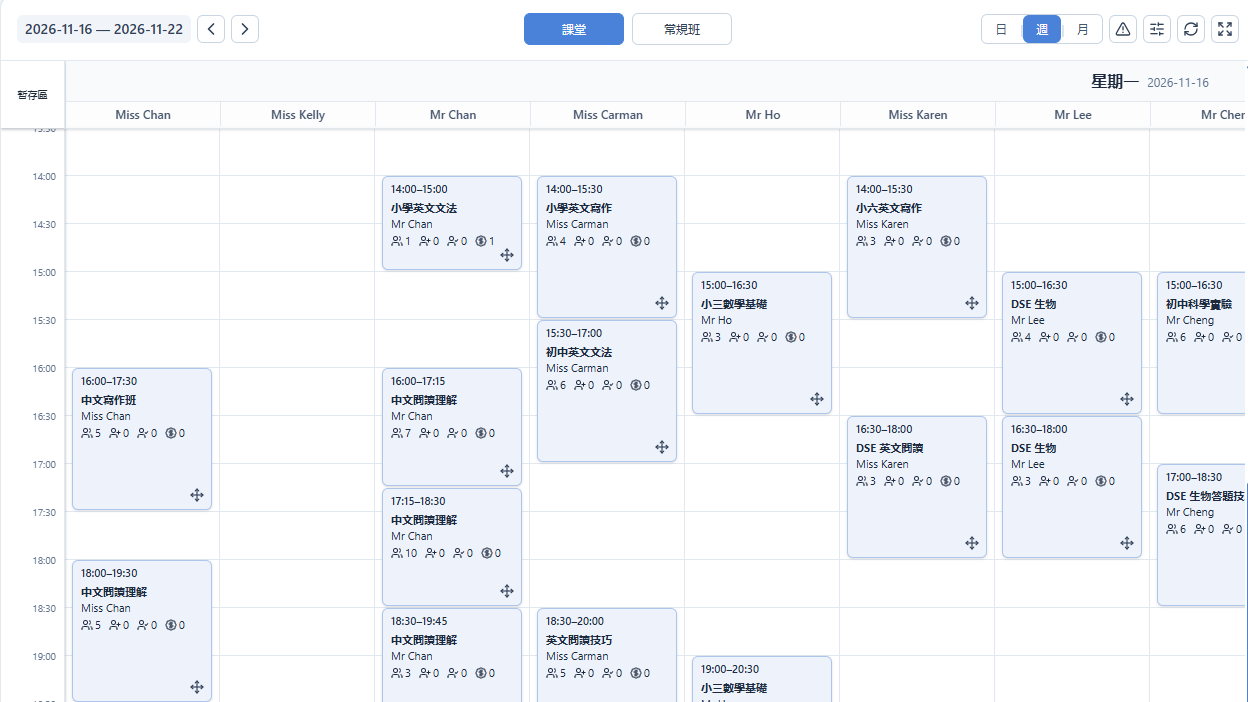
LessonBell weekly schedule showing classes and lesson times by tutor

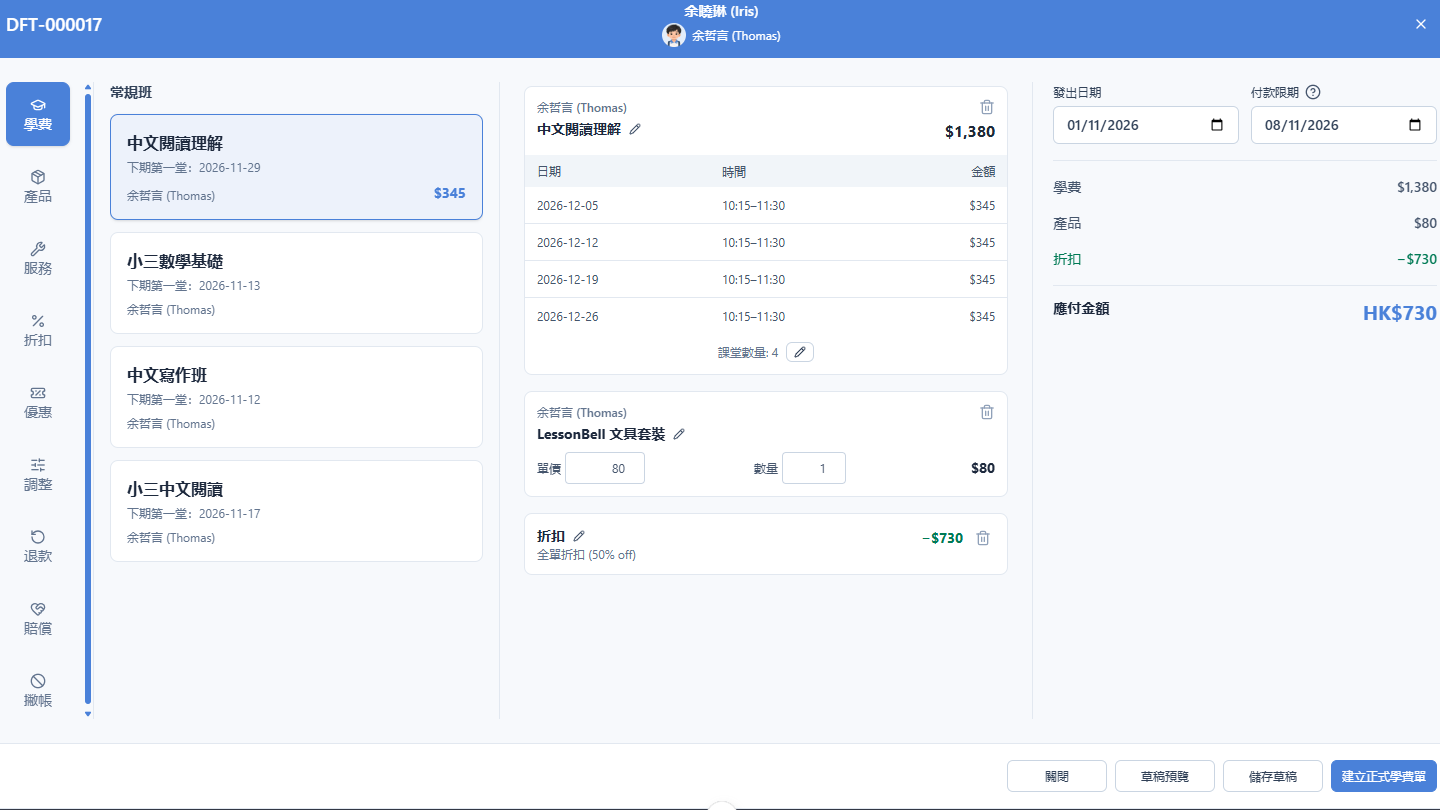
One Bill. Every Charge.

  • Add tuition, materials and products to one bill
  • Apply discounts and check the total due
  • Confirm the charges and issue the fee note
LessonBell POS draft showing lesson fees, a stationery product, a discount and the total due

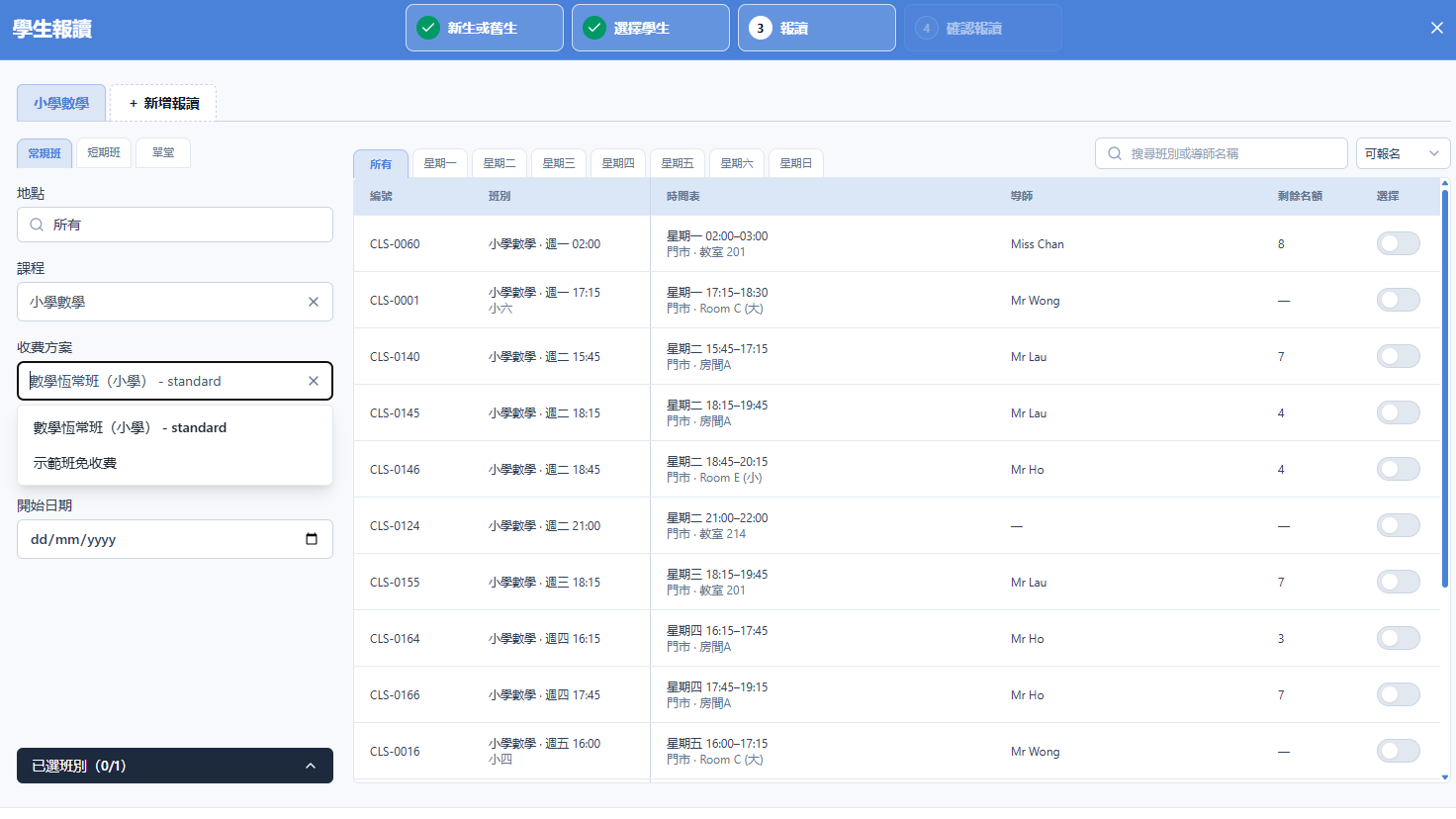
Classes That Fit Your Courses

  • Give regular classes a fixed weekly slot
  • Choose individual dates for short courses
  • Create a lesson after confirming a booking
LessonBell enrollment screen showing the fee plan menu, class times, tutors and available places

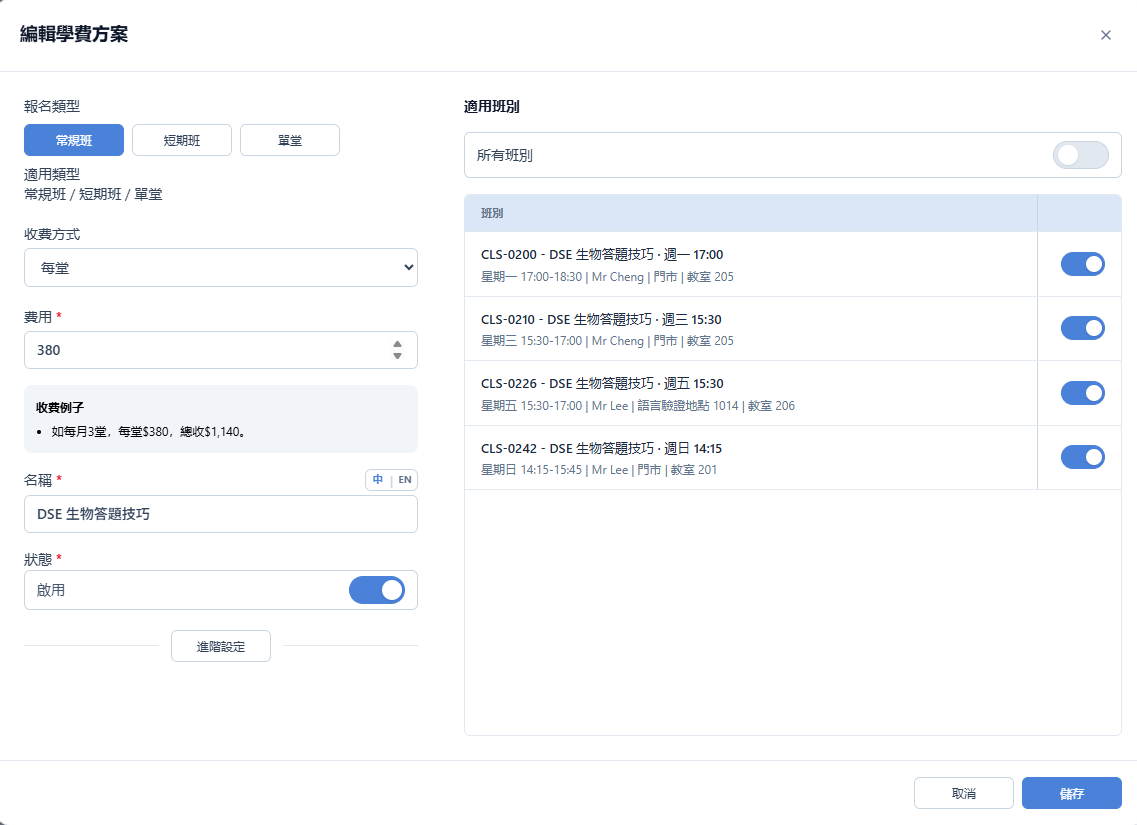
Set Pricing Once

  • Set fee plans by class type
  • Charge monthly for regular classes or per trial lesson
  • Select a plan and confirm the fee at enrollment
LessonBell fee plan editor showing the fee method, price per lesson and eligible classes

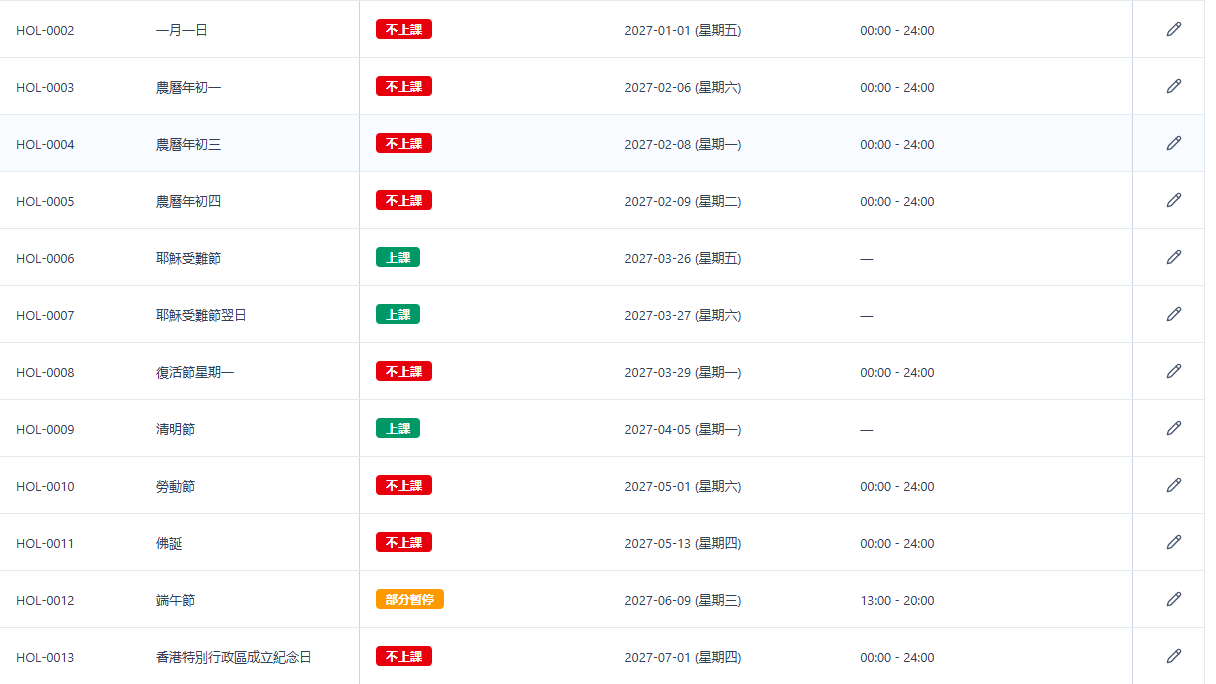
Plan Around Holidays

  • Set public holidays and closures by branch
  • See dates without lessons in the schedule preview
  • Check teaching dates before confirming a class
LessonBell holiday list showing teaching days, closures and partial closures

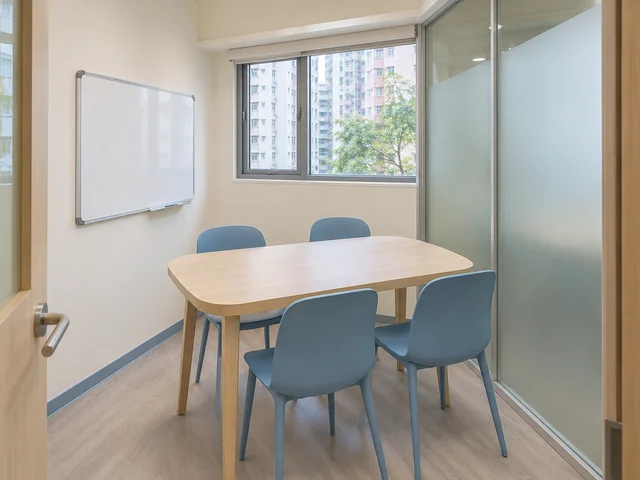
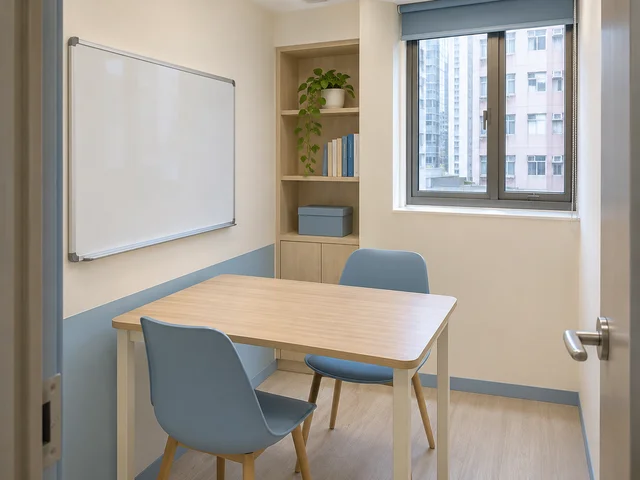
The Right Room, Every Time

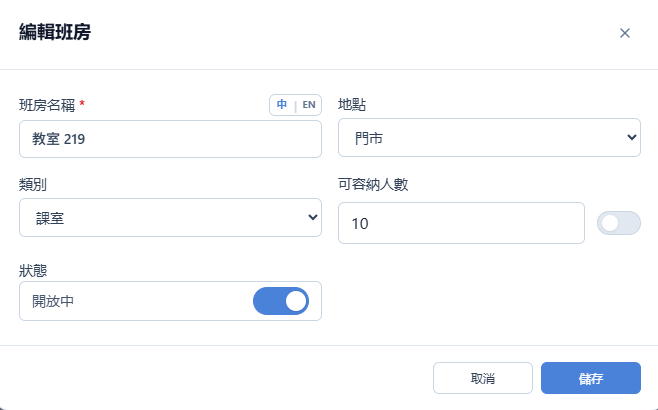
  • Assign a room and tutor at the chosen branch
  • Check the room capacity before scheduling
  • Confirm the room and tutor are both available

Put AI to work.Get your time back.

LessonBell MCP
  • Gemini
  • Grok
  • ChatGPT
  • Claude

Center Owner

Start a Saturday Grade 4 Math class next week, 11:45–13:15, with Mr Wong in Room A, capacity 10.

Bell (AI Assistant)

Demo completed via MCP

  • Check the course and fee package
  • Preview tutor, room and lesson dates
  • Create the regular class and lessons

I’ve set up the Saturday class with Mr Wong, Room A, and a 10-student limit. Lessons are scheduled through your current planning window, ready for enrollment.

Weekly time
Saturday 11:45–13:15
Tutor and room
Mr Wong · Room A · capacity 10

Questions?
We’ve got answers.

Can one course have several class groups?

Yes. A Grade 4 math course can have Wednesday and Saturday groups with separate times, rooms and tutors.

Can branches have different holiday schedules?

Yes. Set closures by branch. The regular class preview marks dates when lessons will not run so staff can check them before confirming.

Can trials and regular classes have different fees?

Yes. For example, charge monthly for regular classes and set up a separate per-lesson plan for trials.

Ready for a simpler workday?You’re three steps away.

  1. Meet LessonBell

    Done
  2. Let’s talkSee it in action

    Get started
  3. Bring your dataTry it for a month

  4. You’re all set

  1. Submit the form
  2. 5-minute phone call
  3. On-site or online demo

Book a Demo

Can we call you now?