Make the first classthe start of something.

Make trials easy to book and easy to follow up. Keep bookings, QR check-in, assessments, and waitlists together so every family has a clear next step.

A parent talks with the center owner outside the classroom while a tutor helps a student with math behind the glass.
  • Challenge 01

    Trials Mixed in with Students?

  • Challenge 02

    Follow-Ups Left to Memory?

  • Challenge 03

    Losing Interested Families?

Book Online. Scan to Check In.

  • Let parents choose an available trial online
  • Send a check-in code with the booking confirmation
  • Scan the code to check the booking and attendance
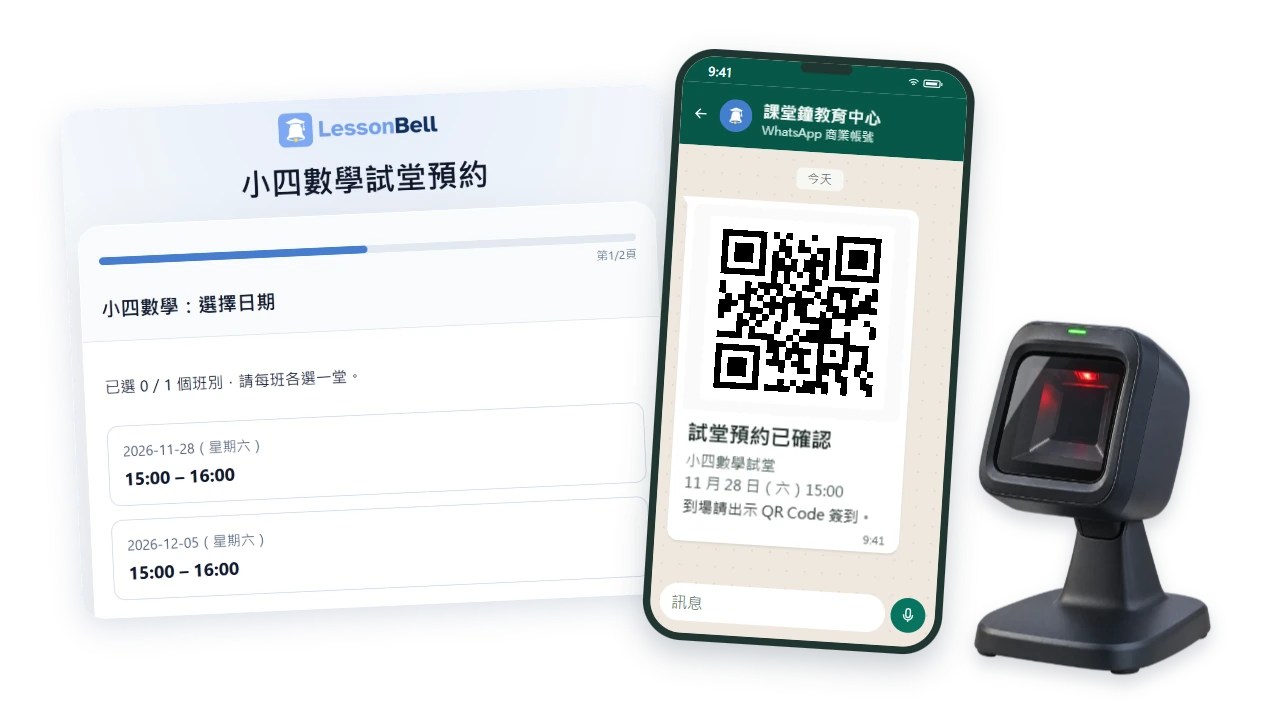
LessonBell trial booking form, an example WhatsApp confirmation with a check-in QR code, and a desktop scanner.

Every Trial, in One Place

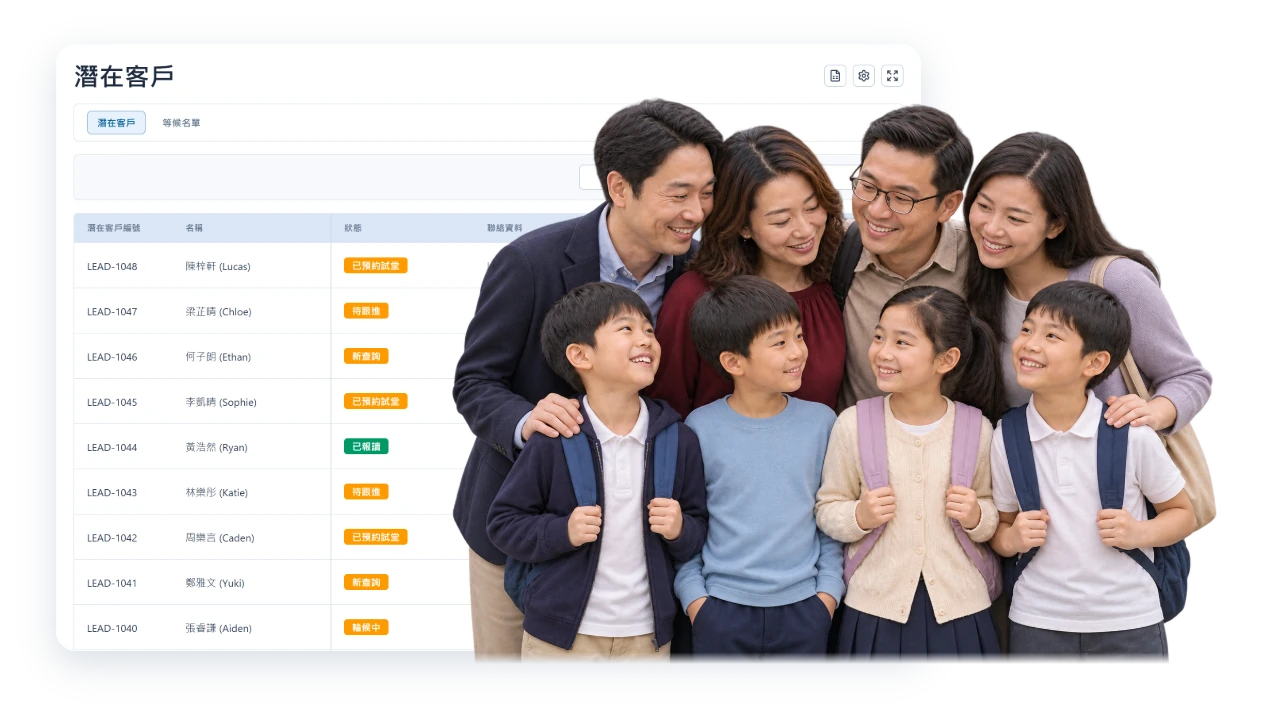
  • Keep trial records together in the prospect list
  • Find each student’s trial and contact details
  • Create the student record once enrollment is confirmed
Example records in the LessonBell prospect list next to a group of parents and students.

Follow Up with Context

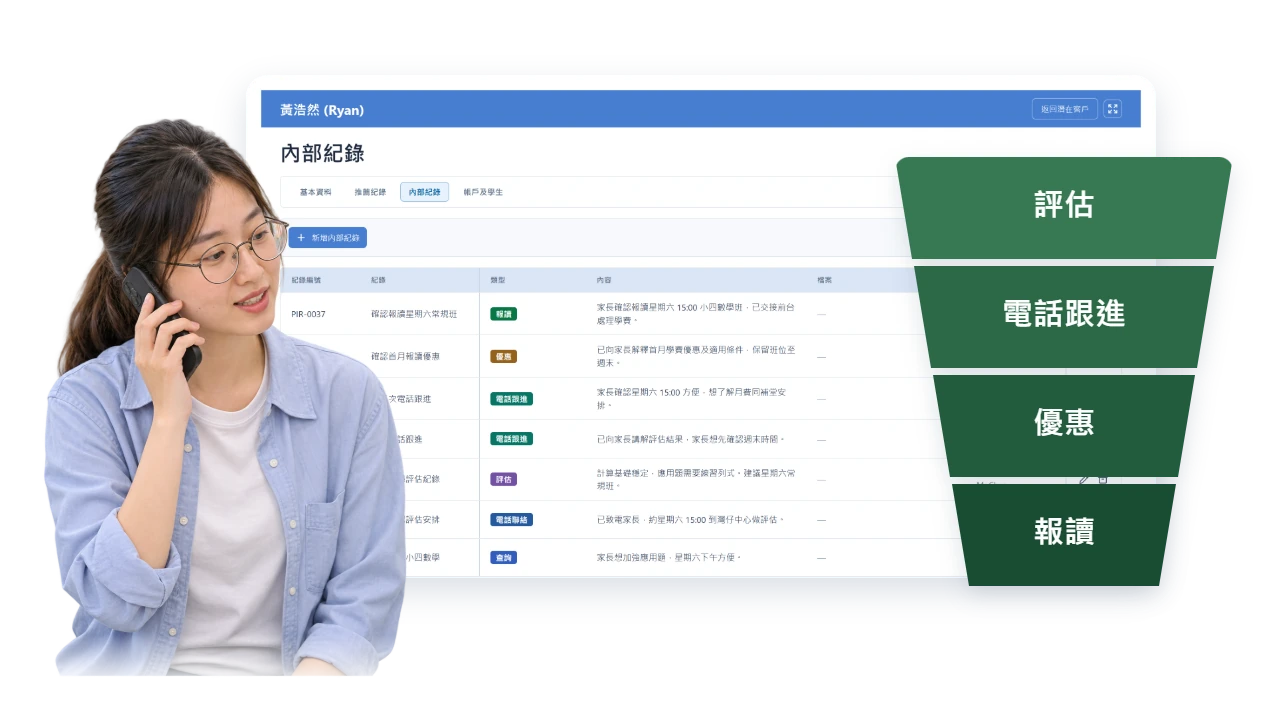
  • Record observations and recommended classes
  • Plan the next contact around the family’s needs
  • Keep teammates up to speed
A staff member on the phone at left, with internal prospect records in the center. The funnel at right shows assessment, follow-up call, offer and enrollment from top to bottom.

Keep Your Waitlist Moving

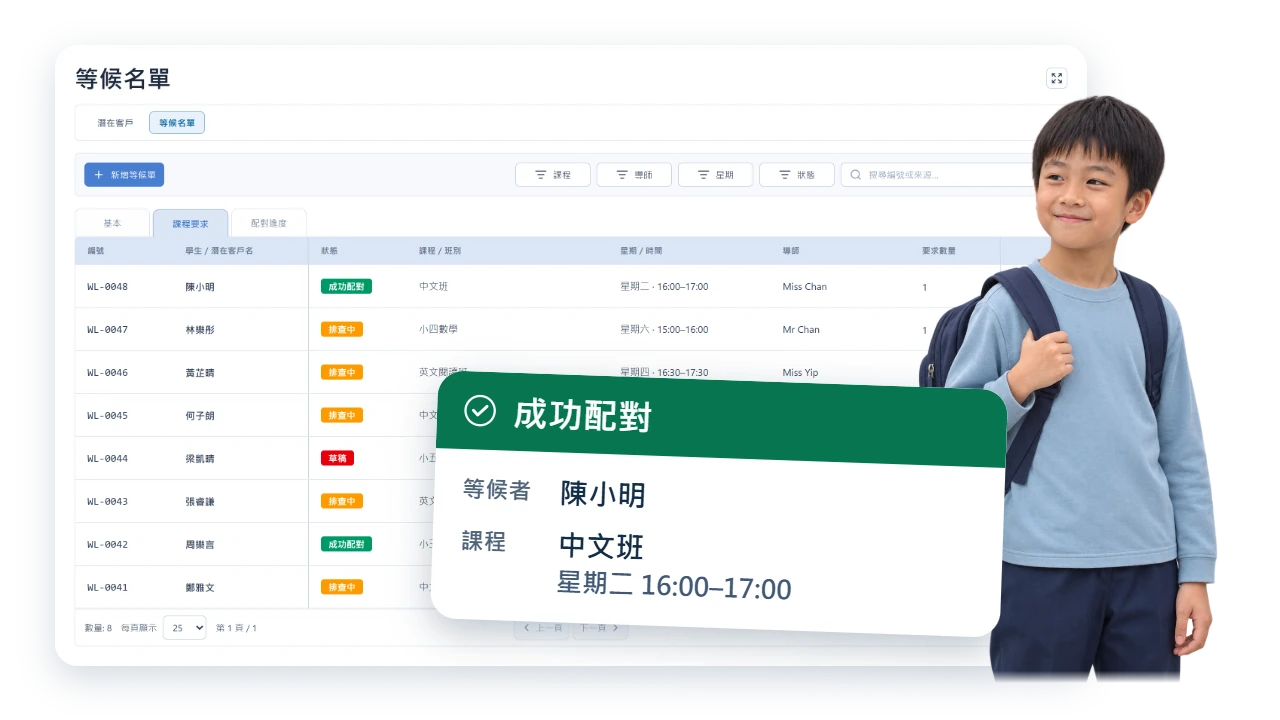
  • Note the class and preferred times
  • Check the waitlist when a place opens
  • Ask interested families to confirm enrollment
LessonBell waitlist screenshot beside a child with a backpack. An example notification matches Chan Siu Ming to a Chinese class on Tuesday from 16:00 to 17:00.

Put AI to work.Get your time back.

LessonBell MCP
  • Gemini
  • Grok
  • ChatGPT
  • Claude

Center Owner

Book Chloe Chan into Saturday’s Grade 4 English trial, 10:00–11:00, using the existing free-trial package.

Bell (AI Assistant)

Demo completed via MCP

  • Check the trial package and available place
  • Confirm time, tutor and trial quote
  • Create the trial booking

Chloe’s free trial is booked for Saturday, 10:00–11:00, with Miss Lee in Room B. She’s on the trial list, ready for your team to welcome her.

Trial
Saturday 10:00–11:00 · Miss Lee
Room and fee
Room B · free trial

Questions?
We’ve got answers.

Do trial participants appear in the student list?

Handle the trial in the prospect list and create a student record when enrollment is confirmed.

How do families check in after booking?

With QR codes enabled for the trial form, families can show their booking code for the front desk to scan.

What if there is no suitable time yet?

Record the preferred class and times, then contact the family when an appropriate place opens.

Ready for a simpler workday?You’re three steps away.

  1. Meet LessonBell

    Done
  2. Let’s talkSee it in action

    Get started
  3. Bring your dataTry it for a month

  4. You’re all set

  1. Submit the form
  2. 5-minute phone call
  3. On-site or online demo

Book a Demo

Can we call you now?