Grow your enrollment.Keep the momentum.

Let your website work after hours. Help families explore classes, ask questions, and sign up—with branded forms and referrals that feed straight into LessonBell.

Parents and children queue to enroll at a learning center the front desk desk
Impressions this month
28,036
+5%
Inquiries this month
106
+3%
New students this month
22
+2%
  • Challenge 01

    Hard to Find Online?

  • Challenge 02

    Still Retyping Form Entries?

  • Challenge 03

    Referrals Slipping Through?

Your Brand. Your Website.

  • Design a website around your center’s brand
  • Showcase your courses and teaching approach
  • Let parents browse courses and ask anytime
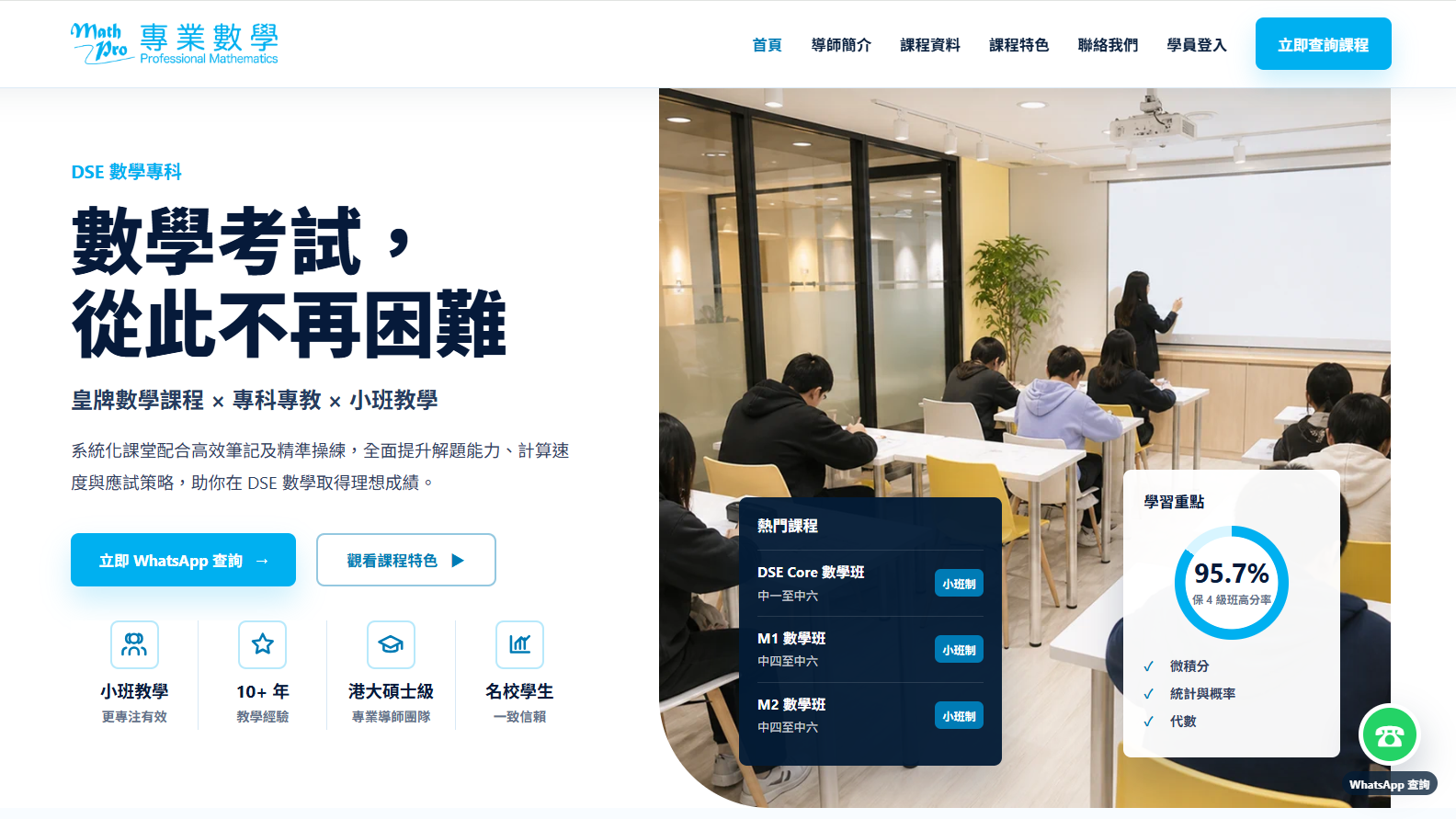
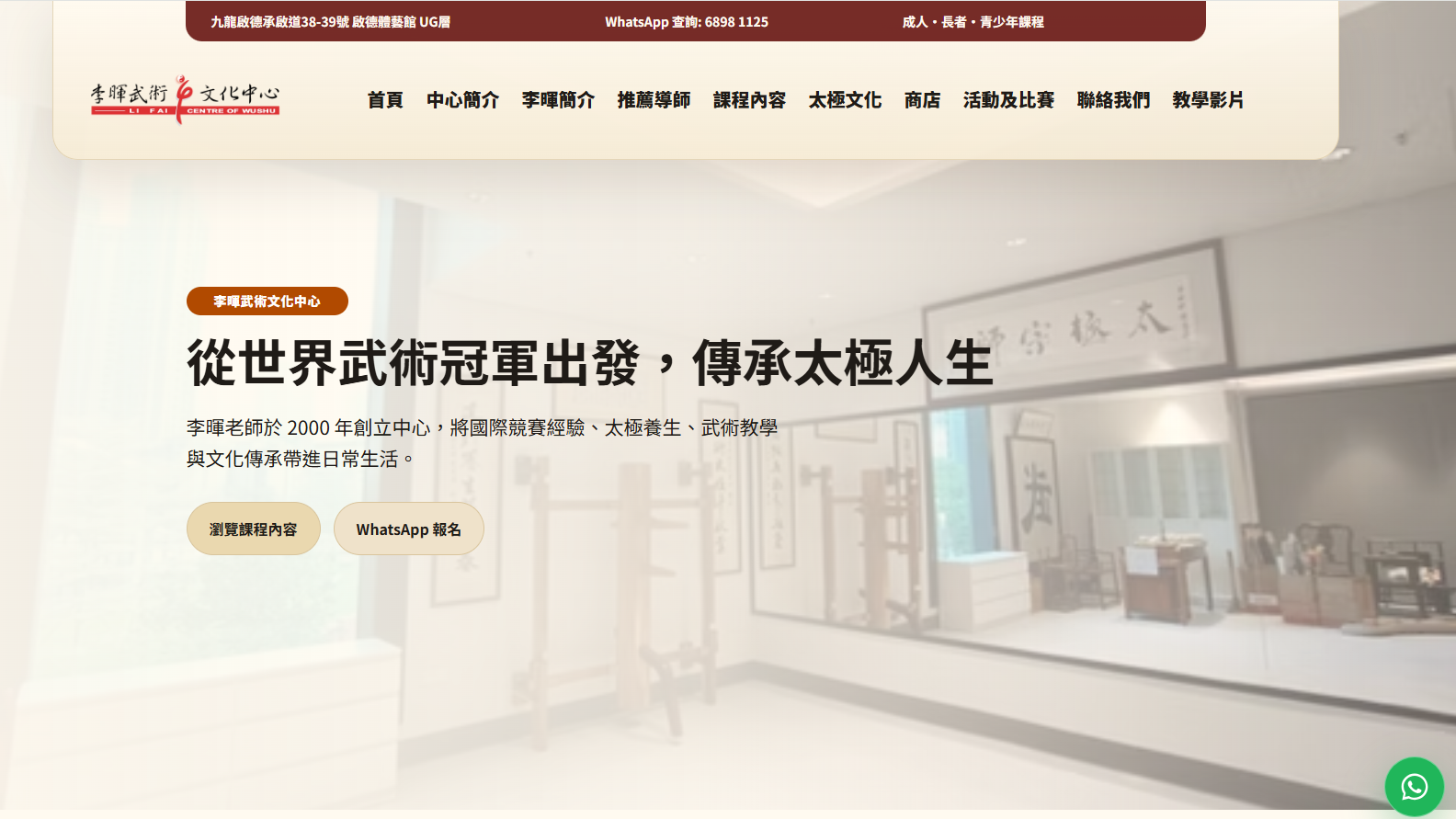
MathPro website showing DSE math courses and an inquiry buttonLi Fai Center of Wushu website showing course and WhatsApp enrollment links

Get Found in AI Search

  • Publish course details, year groups and locations
  • Answer common questions about enrollment
  • Help AI search find and cite your website

Class Details, Always in Sync

  • Sync courses and classes from LessonBell
  • Update lesson times and places automatically
  • Let parents check availability before enrolling
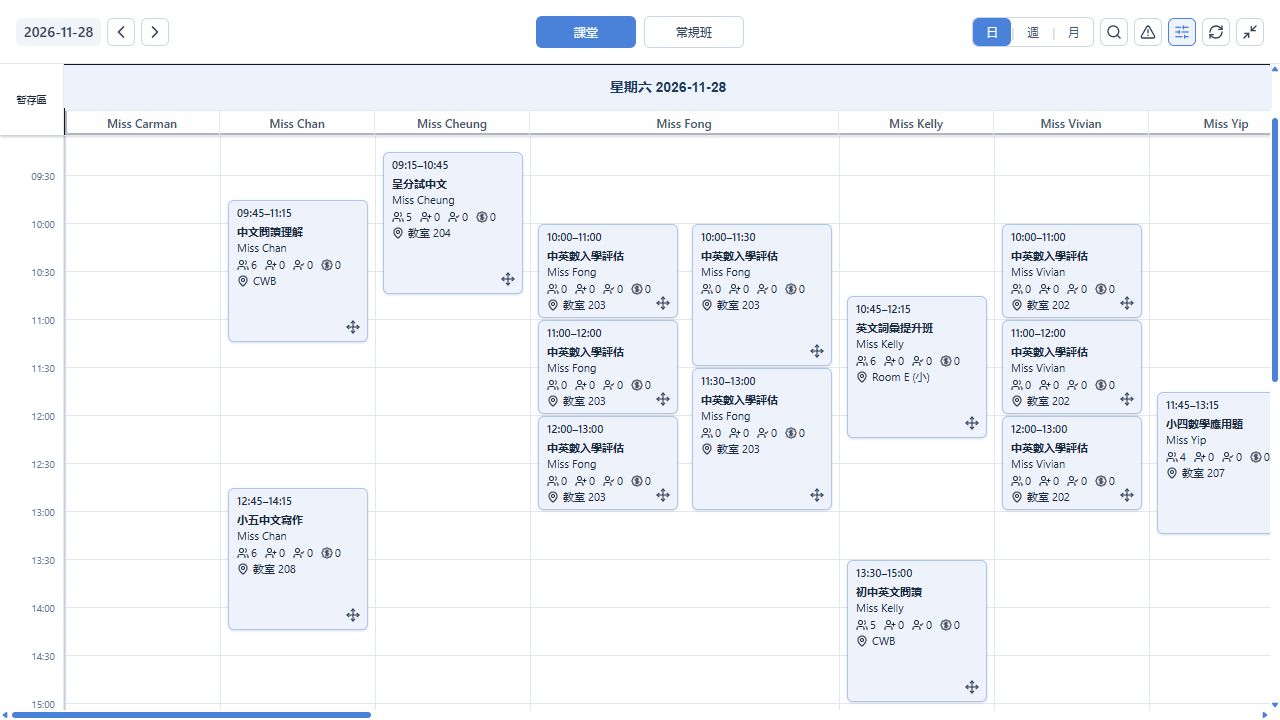
LessonBell CMS schedule showing demo lessons and times grouped by tutor
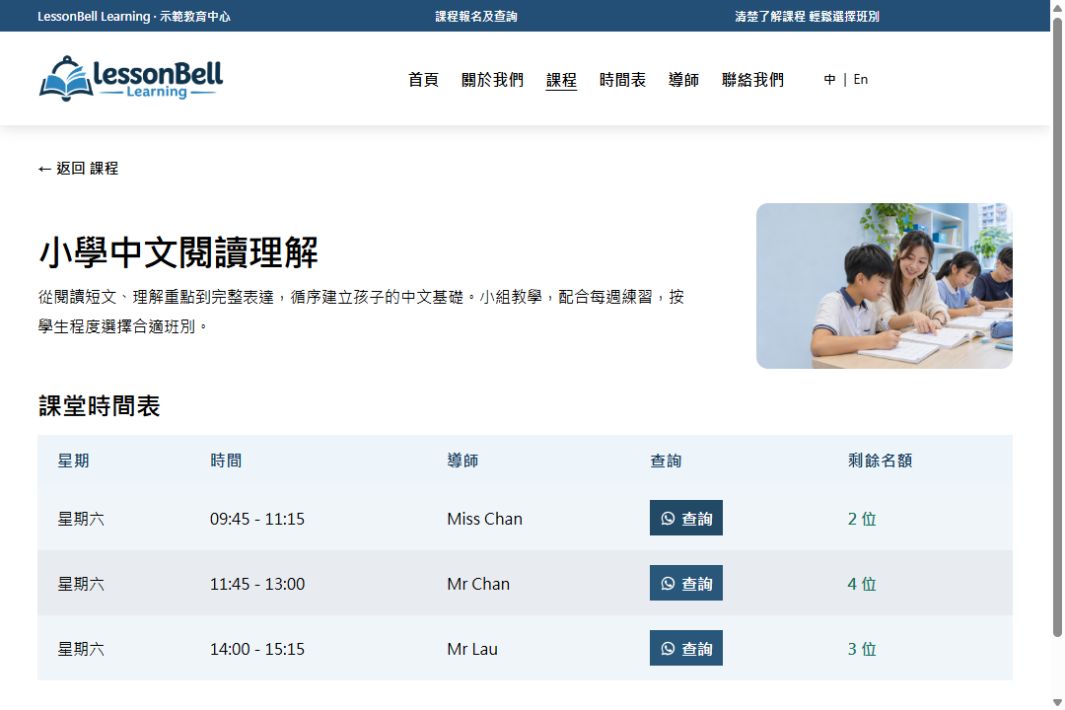
LessonBell Learning demo course page with Chinese reading class times, tutors and remaining places

Simple Forms. Your Branding.

  • Add your logo and customize form questions
  • Collect year groups, contact details and course choices
  • Follow up on submissions directly in LessonBell
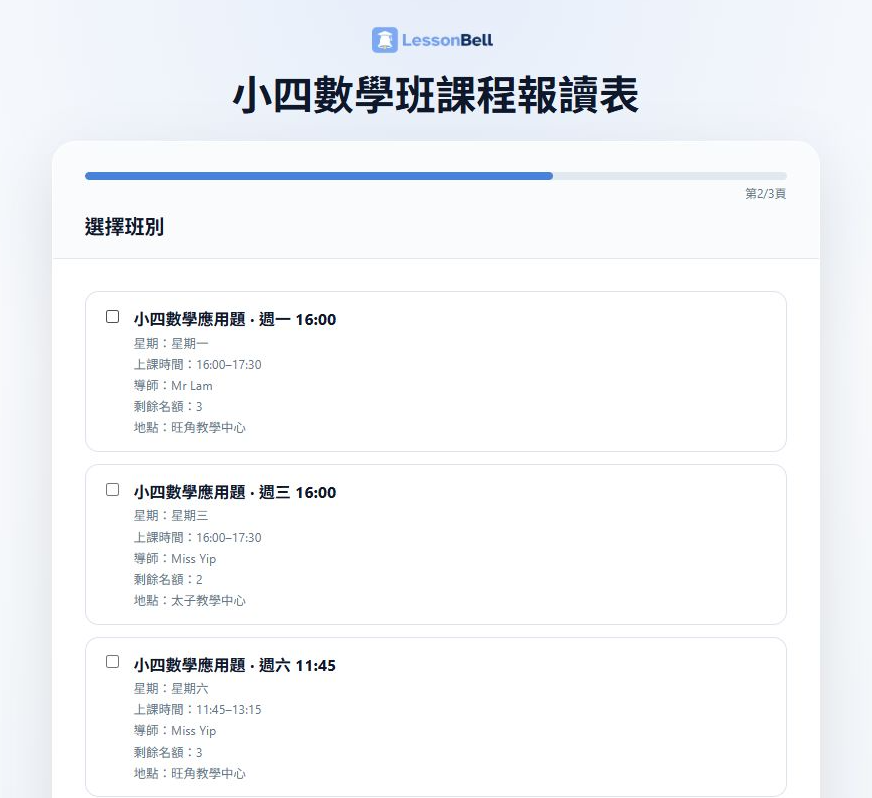
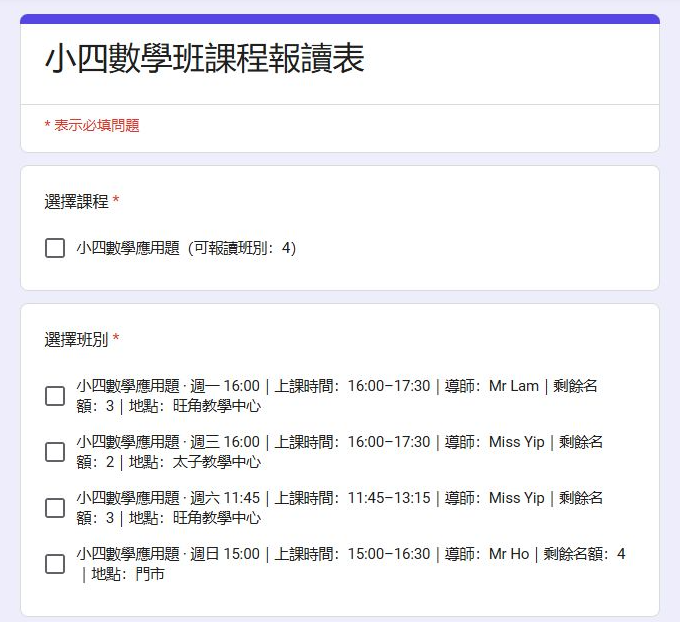
LessonBell Grade 4 math enrollment form with separate class cards showing lesson times, tutors and placesGoogle Forms Grade 4 math enrollment form with class details in the option text

Turn Referrals into New Students

  • Record who made the referral at enrollment
  • Keep a clear referral history
  • Follow up with thanks and rewards
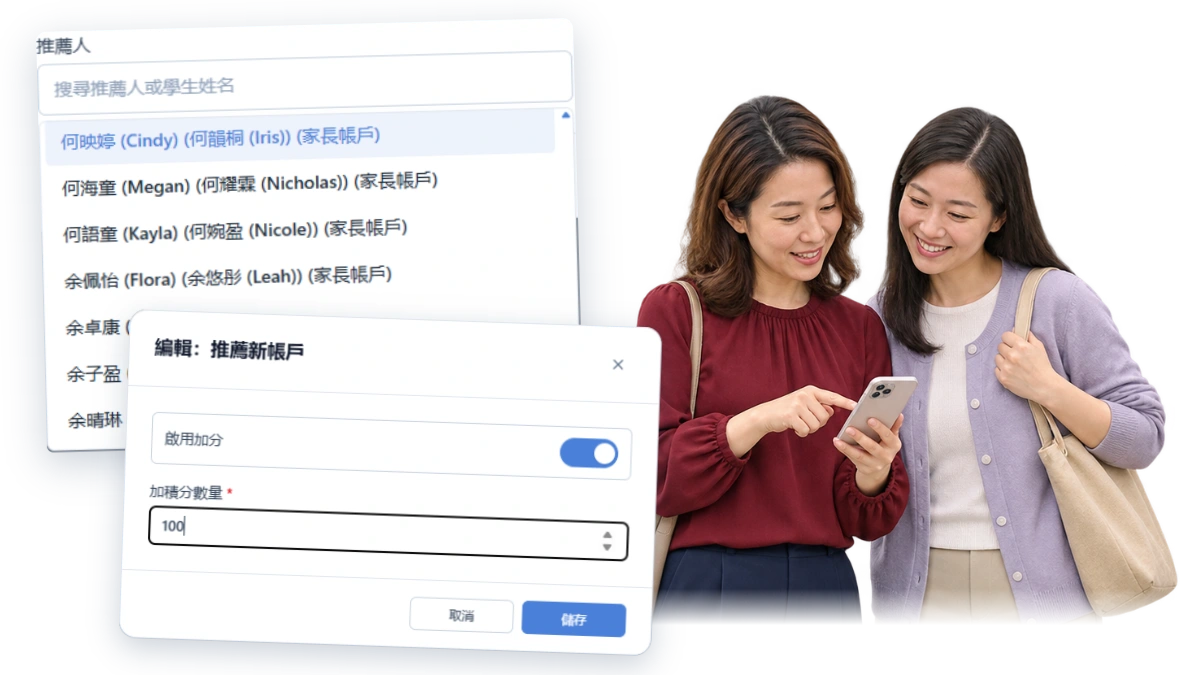
Two parents share a course recommendation beside the LessonBell referrer list and new-account referral points settings

Put AI to work.Get your time back.

LessonBell MCP
  • Gemini
  • Grok
  • ChatGPT
  • Claude

Center Owner

Create an inquiry for Chloe Chan. She wants Grade 4 English and is only available on Saturday mornings.

Bell (AI Assistant)

Demo completed via MCP

  • Create the prospect record
  • Record the course and preferred time
  • Save the inquiry follow-up note

I’ve added Chloe’s inquiry and noted that she wants Grade 4 English on Saturday mornings. Your team can pick up the conversation with her preferences already saved.

Prospect
Chloe Chan · created
Follow-up
Grade 4 English · Saturday morning

Questions?
We’ve got answers.

Can the website reflect our center’s brand?

Yes. Plan the site around your positioning, courses and families so the design and admissions content work together.

What can a branded form collect?

Choose the information you need, such as the student’s year, the parent’s contact details and the preferred course, so the front desk has a record to follow up on.

How do we check referral rewards?

Record the referral when a student enrolls, then check your center’s reward conditions against the record and follow up with the referring family.

Ready for a simpler workday?You’re three steps away.

  1. Meet LessonBell

    Done
  2. Let’s talkSee it in action

    Get started
  3. Bring your dataTry it for a month

  4. You’re all set

  1. Submit the form
  2. 5-minute phone call
  3. On-site or online demo

Book a Demo

Can we call you now?