Know what’s paid.See what needs attention.

See unpaid balances and overdue bills in your Accounting Portal. Match deposits, review deferred revenue, and download the reports you need for month-end.

An accountant checks month-end paperwork with a calculator at her desk
  • Challenge 01

    Finding Unpaid Bills Too Late?

  • Challenge 02

    Deposits Crossing Month-End?

  • Challenge 03

    Month-End Taking Too Long?

See Every Open Balance

  • Check each family’s balance by branch
  • See how long balances have been overdue
  • Open unpaid bills for due dates and balances
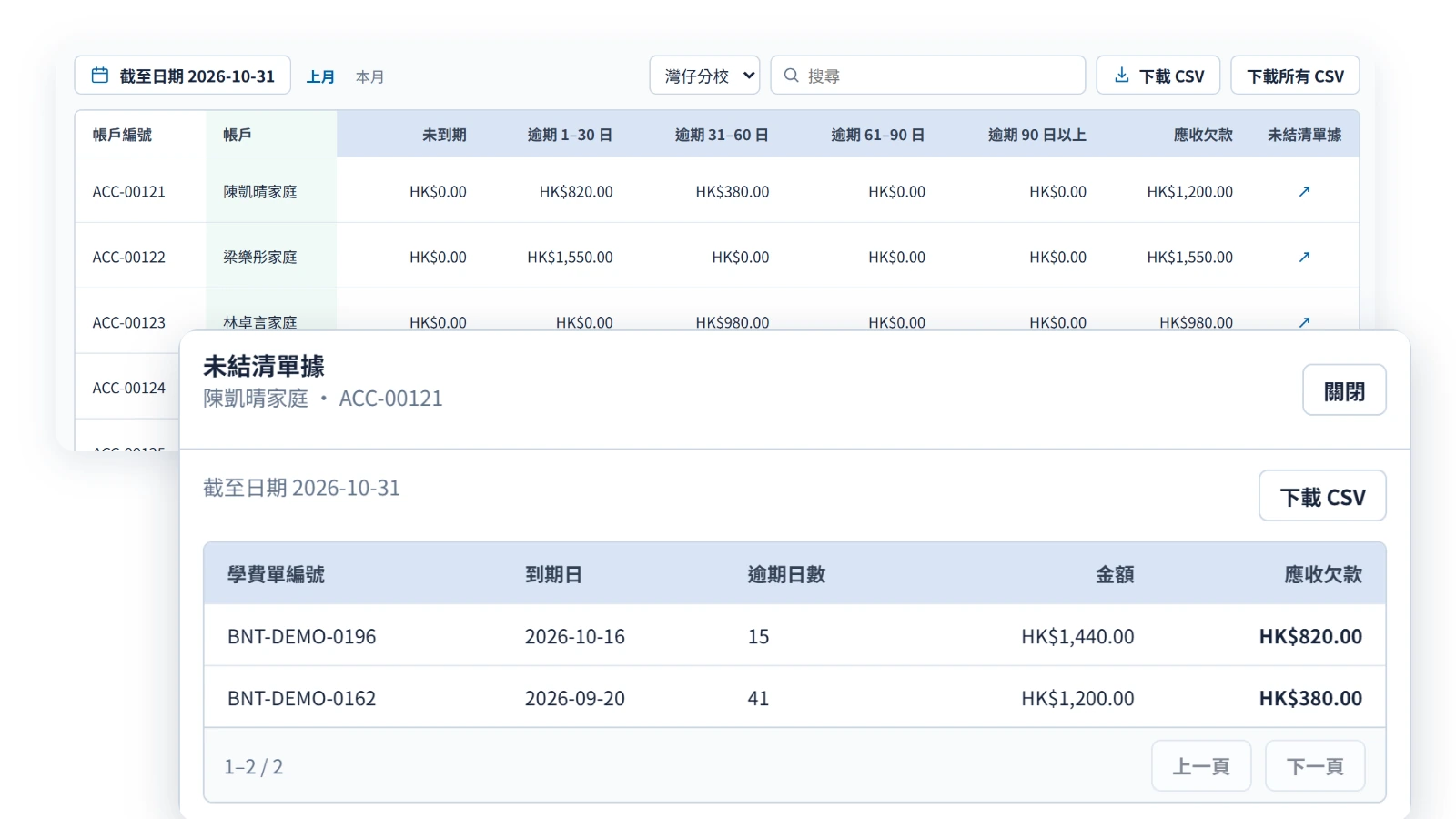
Accounting Portal receivable aging and open items showing family accounts, balances and days overdue

A Workspace for Your Accountant

  • Sign in with a dedicated accountant account
  • View records for authorized branches
  • Find accounting movements and documents together
Dedicated LessonBell Accounting Portal sign-in

Match Payments to Deposits

  • Import a bank or payment provider settlement file
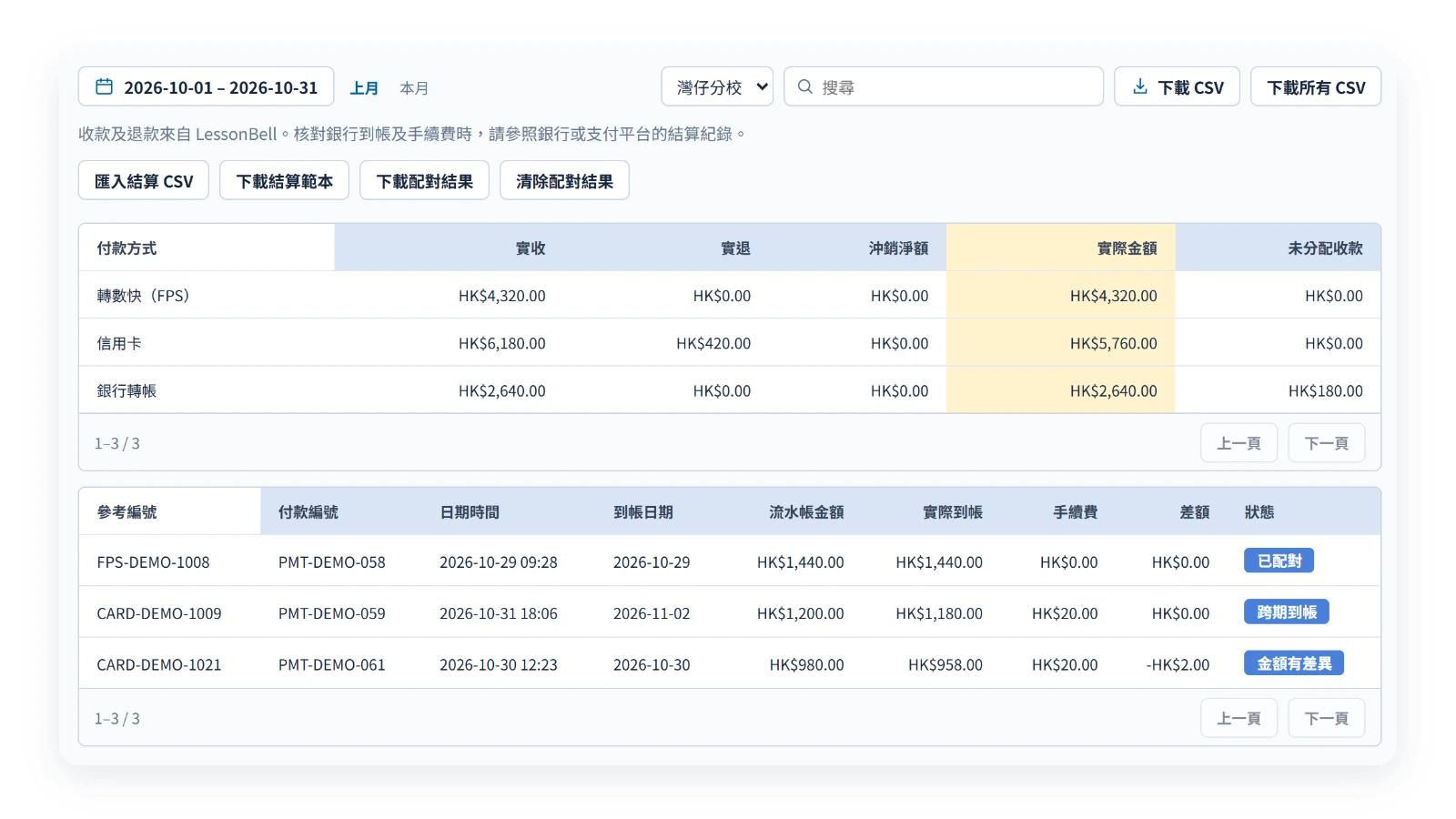
  • Match system payments by transaction reference
  • Check fees, cross-period deposits and differences
Payment reconciliation in the Accounting Portal with payment methods and settlement matching results

Track Revenue as You Teach

  • Review billed tuition and recognized revenue
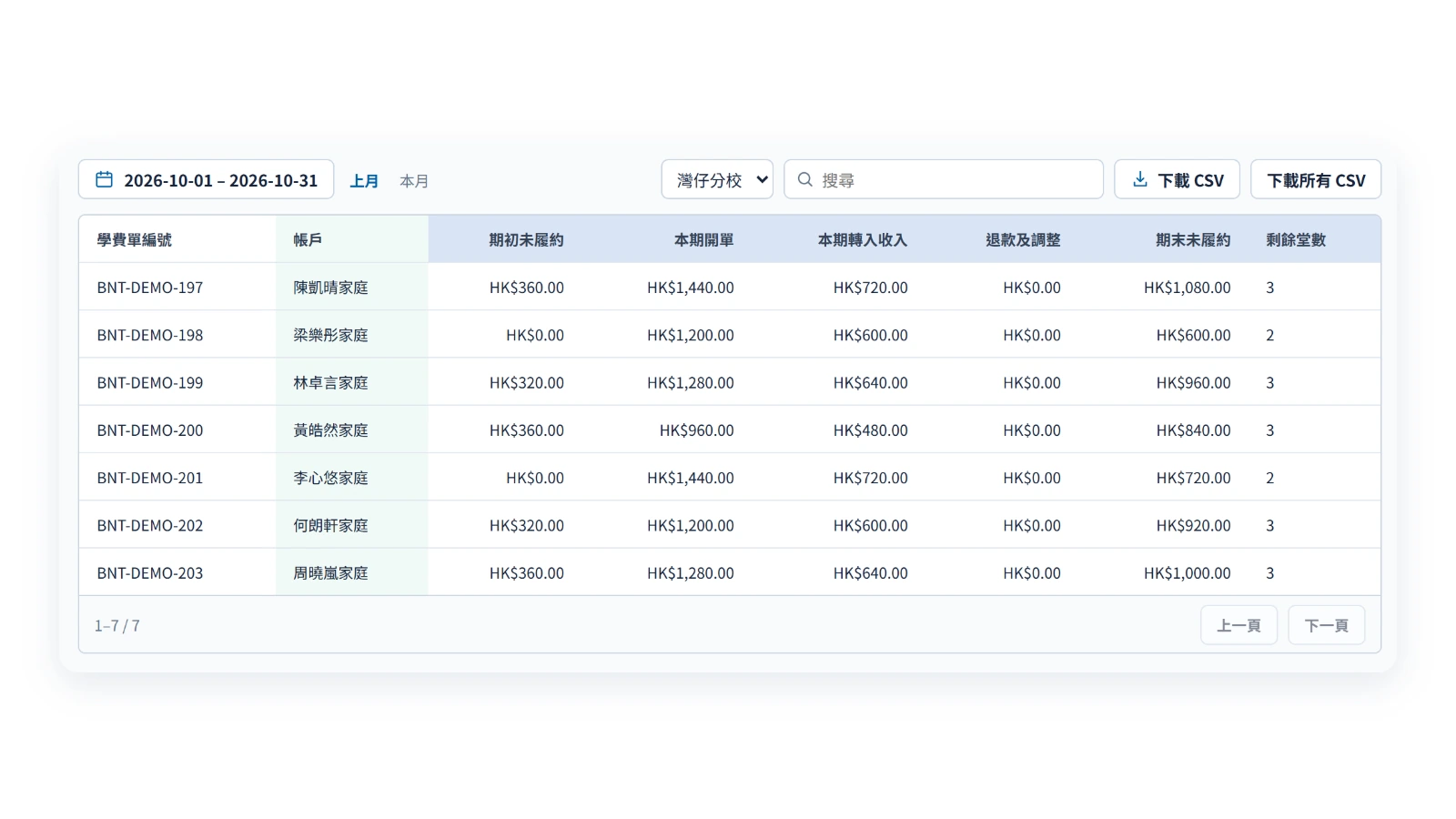
  • Check the closing balance for undelivered lessons
  • Review refunds and adjustments at month-end
Deferred tuition report showing billed tuition, recognized revenue and the closing deferred balance

Wrap Up Month-End Faster

  • Export the selected branch and month
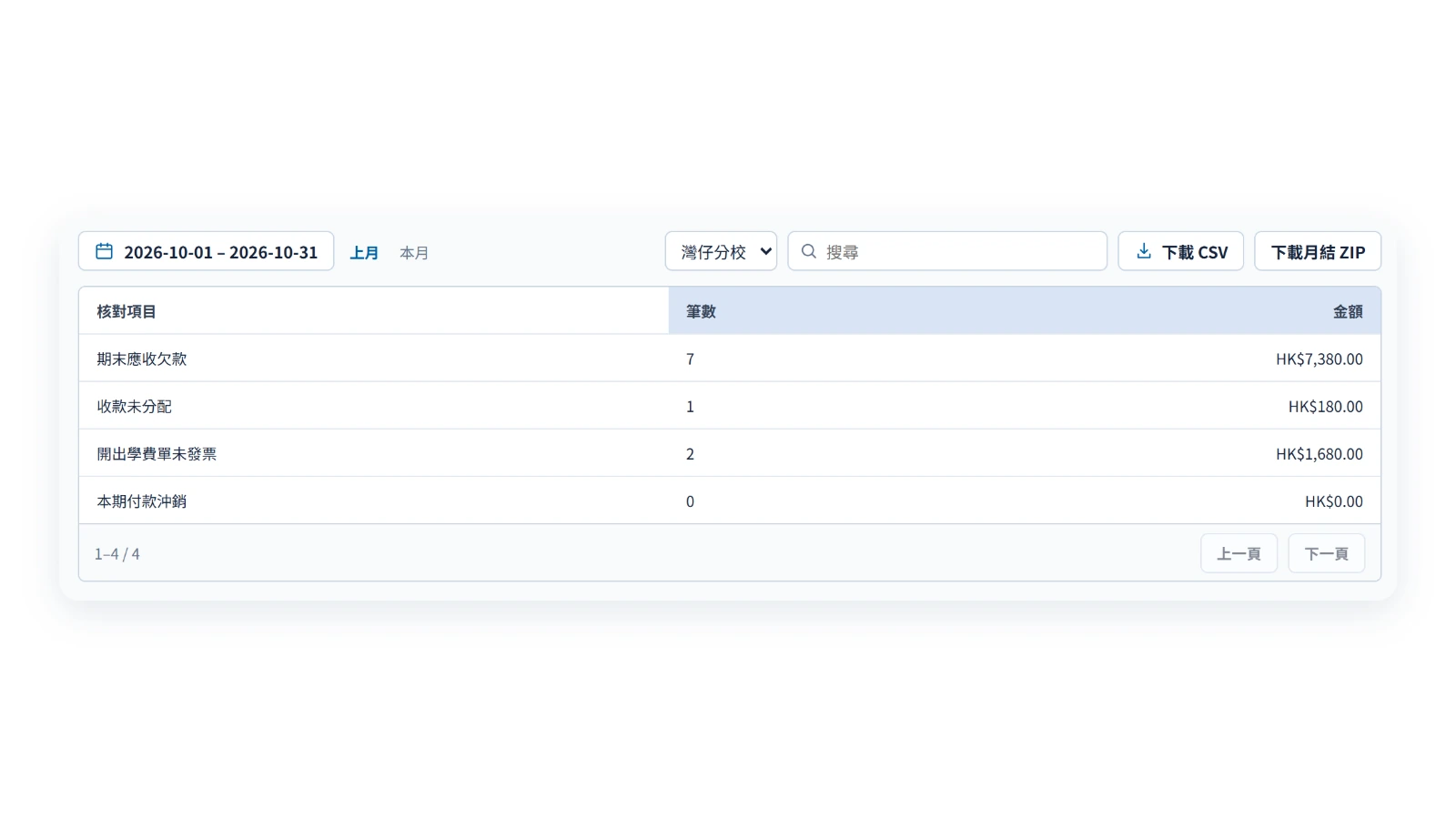
  • Download multiple CSVs in one ZIP
  • Download individual invoices and receipts as PDFs
Month-end download page showing closing checks and the ZIP download option

Put AI to work.Get your time back.

LessonBell MCP
  • Gemini
  • Grok
  • ChatGPT
  • Claude

Center Owner

Group today’s receipts into FPS and cash and calculate the total for day-end reconciliation.

Bell (AI Assistant)

Demo records checked via MCP

  • Read today’s valid receipt records
  • Group and total by payment method
  • Prepare the day-end reconciliation summary

Today’s receipts total HK$5,600: HK$4,000 from five FPS payments and HK$1,600 from two cash payments. Your team can use the breakdown to reconcile each payment method.

FPS
5 receipts · HK$4,000
Cash and total
2 · HK$1,600; total HK$5,600

Questions?
We’ve got answers.

Can I see the balance after a partial payment?

Yes. Open the family account in receivable aging to see its open items, outstanding amounts, due dates and days overdue.

Can an external accountant sign in with their own account?

Yes. The center can set up a dedicated accountant account and assign access by branch.

How do I reconcile a payment that reaches the bank next month?

Import the bank or payment provider’s settlement CSV to review matching results, deposit dates, fees and cross-period entries.

Ready for a simpler workday?You’re three steps away.

  1. Meet LessonBell

    Done
  2. Let’s talkSee it in action

    Get started
  3. Bring your dataTry it for a month

  4. You’re all set

  1. Submit the form
  2. 5-minute phone call
  3. On-site or online demo

Book a Demo

Can we call you now?